i-doit
CMDB, ITSM, ITIL, IT-Docu







Use the i-doit AI add-ons to increase your level of automation with the help of AI!


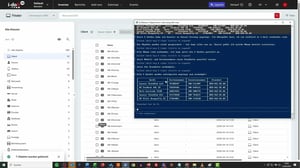
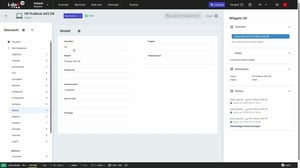
With the i-doit ChatCMDB Add-on, you can import large volumes of data without complex mapping or manual preparation. Instead of manually assigning CSV files, you simply upload the file or paste the content directly and briefly describe what should be created. The data is automatically detected, usually interpreted correctly, and directly created in your CMDB — including assignments such as users, locations, and other related information.
Even large device inventories can be transferred in a structured way within seconds, without the need to deal with import rules or field mappings.
Key benefits at a glance:
More than just device lists: use your CSV data directly
Import more than just individual client lists – handle a wide variety of data structures without complex preparation. Whether devices, users, locations, or other objects, you simply paste your CSV and briefly describe what should be created. The data is detected, processed in a structured way, and directly created in your CMDB.
Typical use cases:
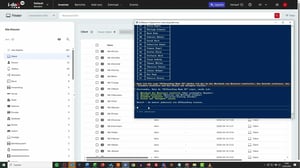
With the i-doit ChatCMDB Add-on, you can access your IT documentation directly via chat and complete typical tasks much faster. You eliminate unnecessary clicks, reduce potential sources of error, and always maintain full visibility over your data. Whether querying, updating, or creating new entries – you work more efficiently, in a more structured way, and without detours.
Key benefits at a glance:
With the i-doit MCP server (Model Context Protocol), your CMDB becomes an active knowledge source for external AI agents — such as Claude by Anthropic, Microsoft Copilot, or other LLM-based tools. The AI agent queries i-doit in real time: structured, context-aware, and without any manual preparation.
While the ChatCMDB Add-on simplifies importing into i-doit, the MCP server enables access from i-doit — directly into your AI workflows. Your documentation stops being a reference you look up, and becomes a live data layer your AI tools can actively work with.
Key benefits at a glance:
Typical use cases:

Our i-doit team will be happy to take the time to advise you personally on your application.