Skip to content

CMDB

Software, use cases & solutions

rating-stars-transparent-white 4.7/5 on Capterra | 2,000+ satisfied customers
i-doit-generic-screenshots

What is a CMDB?

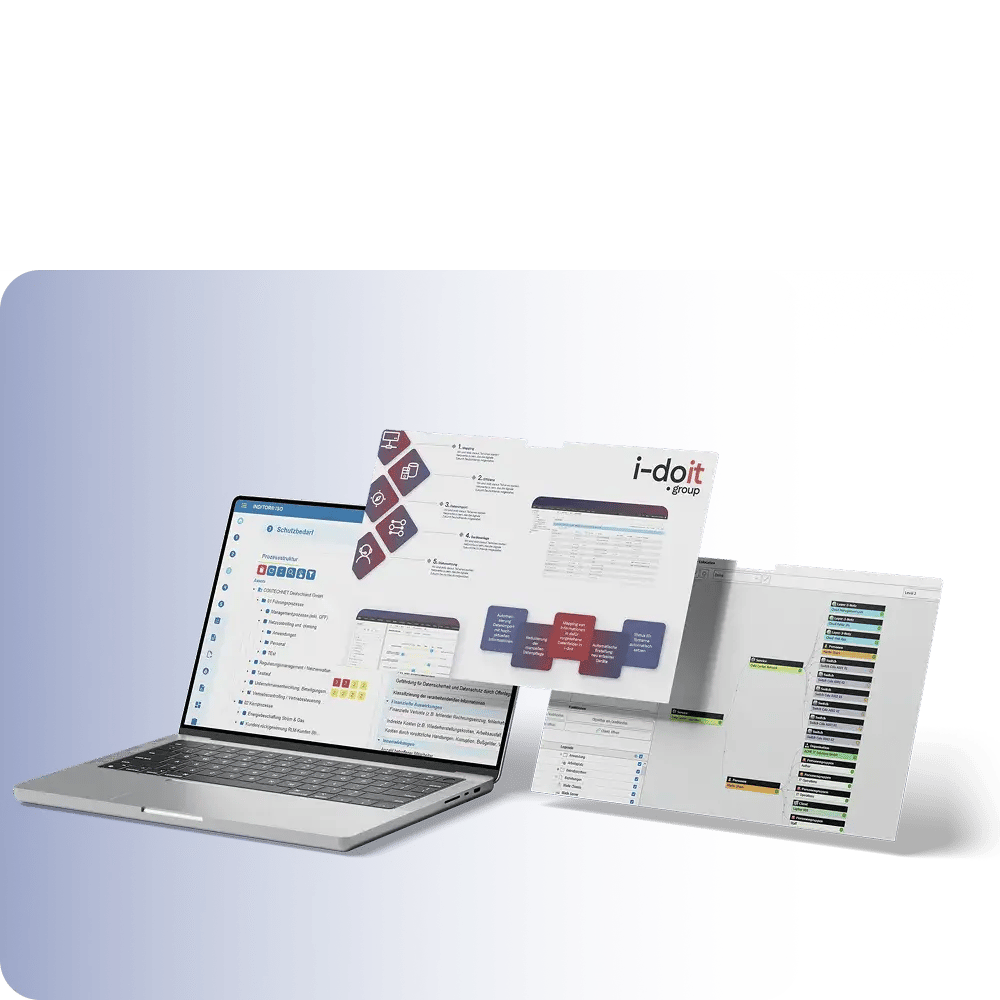
A configuration management database (CMDB) is a central database in which all of a company's important information is recorded and linked in a structured manner. It not only stores devices, software, users, networks and locations as configuration items (CIs), but also their relationships and dependencies.

This creates a precise image of the entire IT landscape. The advantage: companies gain transparency, reduce errors, accelerate IT processes and create a reliable basis for areas such as IT operations, helpdesk, change management, compliance or emergency preparedness. A well-maintained CMDB ensures that everyone involved can use up-to-date and consistent information at all times.

All information is logically linked in a CMDB

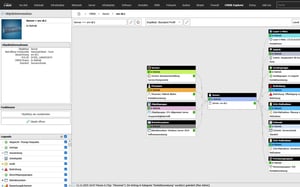
CMDB Explorer feature

Use cases

Use cases relating to ISMS, risk and compliance management

Audit management
Audit management

You control audits centrally, plan audits, document results and automatically generate audit reports.

View use case

Document management
Document management

You can manage documents in an audit-proof manner, version and edit them directly in the tool and use templates and import functions.

View use case

GAP analysis
GAP analysis

i-doit supports GAP analyses according to standards such as ISO 27001, ISO 9001 or NIS2, including maturity level assessment, responsibilities and document assignment.

View use case

Supplier management
Supplier management

You evaluate and manage suppliers centrally, document contracts and maintain contact details and replacement suppliers.

View use cases

Action management
Action management

You derive measures, distribute tasks, track deadlines and receive automatic notifications by e-mail.

View use case

Security incident management

You document and evaluate security incidents in accordance with ISO and NIS2, assign affected assets and centrally derive measures.

View use case

Why a CMDB like i-doit does more than any Excel list

Excel is great for quick overviews - but as soon as devices, software, users, networks and contracts come together, a spreadsheet reaches its limits. A CMDB like i-doit solves precisely this problem by turning scattered tables into a structured, coherent database. Existing Excel files can be easily imported and can be used centrally by IT teams.

Instead of individual rows, i-doit shows how devices, applications, locations and services are connected to each other. These relationships make risks visible, facilitate changes and support processes such as helpdesk, change management or auditing.

Advantages:

  • Transparent relationships: Devices, software, locations and services are linked to each other.
  • Audit-proof changes: Every change is automatically documented, including history, responsible parties and timestamps.
  • Processes instead of tables: Supports helpdesk, change management and audits directly.
use-case-cmdb-explorer-emergency-management

CMDB and ticket systems

Efficient processes and maximum transparency in IT support

By connecting a ticket system, i-doit becomes the central source of information for IT support. When a ticket is created, all relevant data on the affected device, user or service is immediately available - including history, faults, software versions and contracts. Processes can be linked directly to the associated assets so that support and technology work with the same database. The bidirectional exchange automatically keeps all information up to date and reduces manual effort.

Advantages:

  • Faster error analysis: All relevant asset and user information is directly available with the ticket, which means that causes can be identified more quickly.
  • Standardized information: Support, technology and management work with the same database thanks to the direct linking of tickets and CMDB objects.
  • Automated up-to-dateness: Bidirectional synchronization keeps master data, status and changes up to date without manual effort.
CMDB and ticket system

CMDB & Discovery

Automated network inventory for consistent data quality and minimized maintenance effort

A discovery tool automatically inventories your network and keeps the CMDB i-doit up to date without any manual effort. Devices, changes and new systems are recognized, transferred in a structured manner and assigned directly to the appropriate objects. Shadow IT becomes visible, data remains consistent and the maintenance effort is significantly reduced.

Advantages:

  • Automatic updating: New devices and changes are adopted directly without manual maintenance.
  • Increased transparency: Hidden systems and shadow IT are visible and clearly documented.
  • Significantly less effort: Inventory, reconciliation and updates run in the background with minimal personnel input.
JDISC Discovery

CMDB Explorer

Understanding dependencies of systems, applications and services at a glance

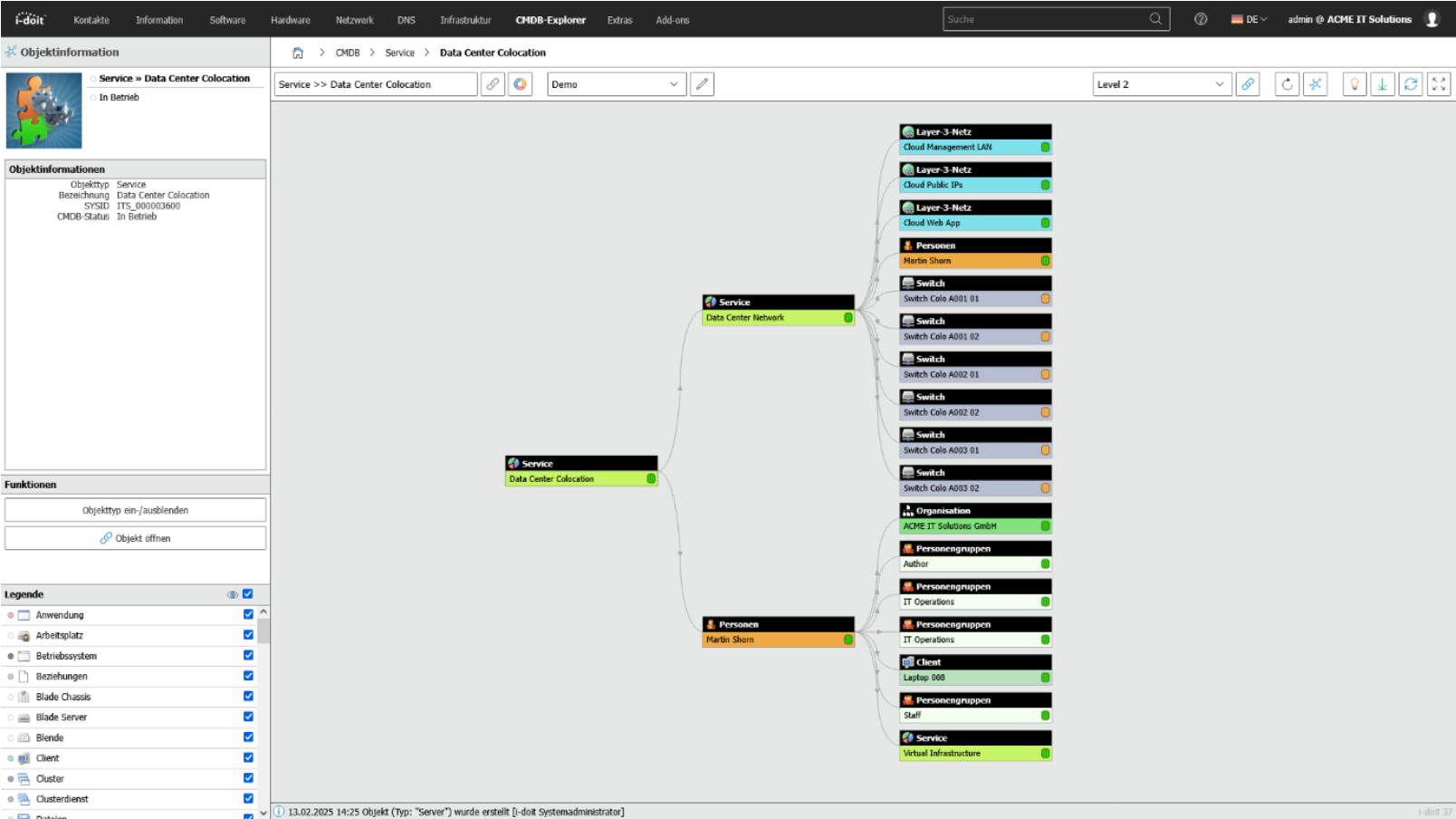
The CMDB Explorer makes existing information and complex IT structures easy to understand. It shows devices, software, users, contracts and entire services as a clear graphic and visually displays all relationships between these elements. This makes it immediately clear which systems are interdependent, what impact a change may have and where potential risks lie.

Instead of spending a long time looking through tables, you get a complete overview of your IT landscape with just a few clicks: comprehensible, intuitive and ideal for planning, troubleshooting and decision-making.

Advantages:

  • Quick overview: Complex IT structures are displayed as comprehensible graphics instead of in confusing tables.
  • Better decisions: Dependencies and effects of changes are immediately recognizable.
  • Efficient troubleshooting: Risks, faults and critical connections can be identified with just a few clicks.

With the CMDB Explorer, you can see all existing relationships and dependencies for all assets.
CMDB Explorer feature

Industries

View all solutions for your industry

How to finally replace Excel spreadsheets in just a few days

1. Compile Excel files and upload them to i-doit

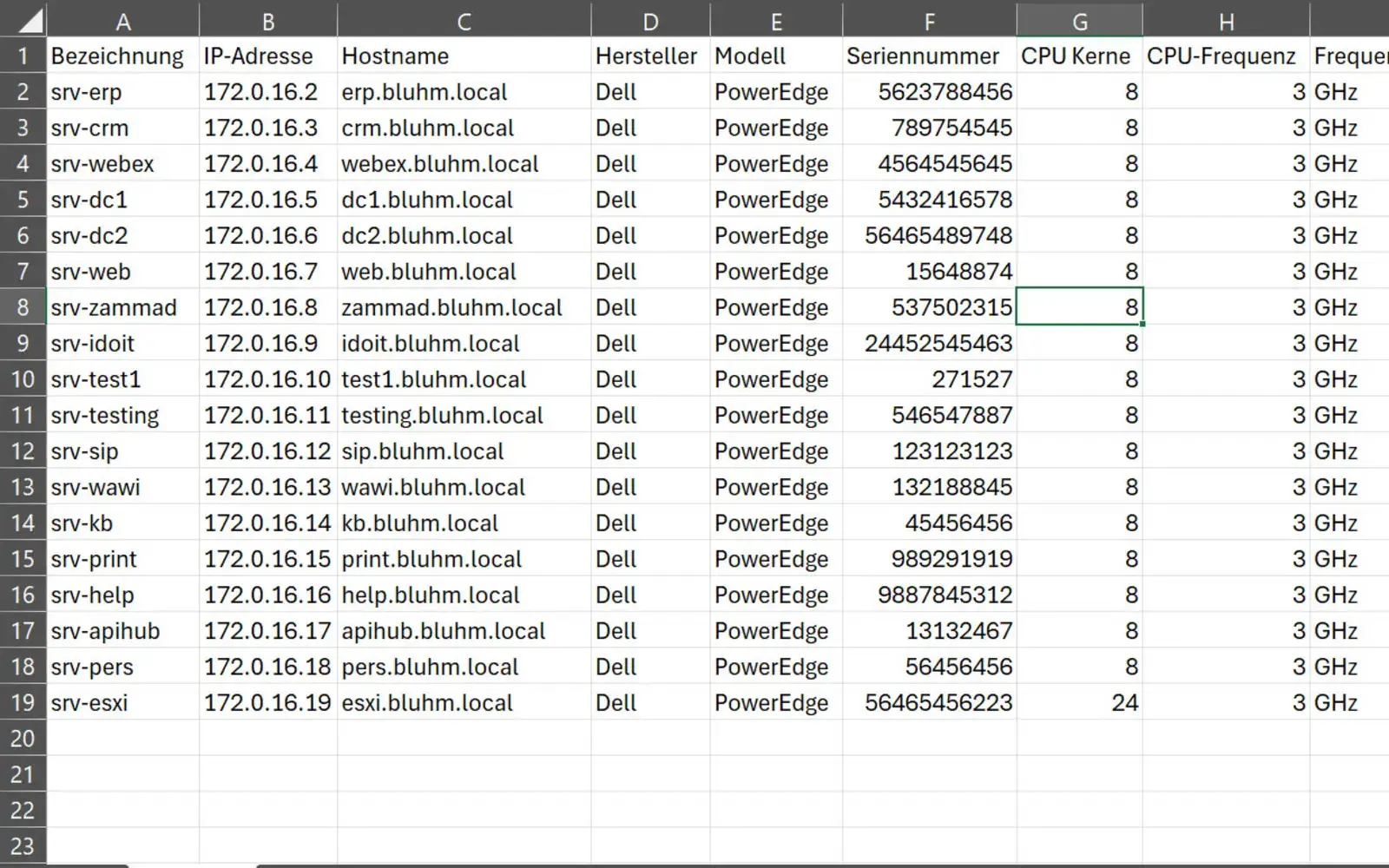
The first step is to collect all existing Excel spreadsheets. It doesn't matter whether they are device overviews, software lists, locations, contracts or contact persons. Even incomplete or inconsistent files are no problem. I-doit can easily map different devices as well as data fields. The Excel tables are then uploaded directly to the i-doit web interface.

use-case-excel-import

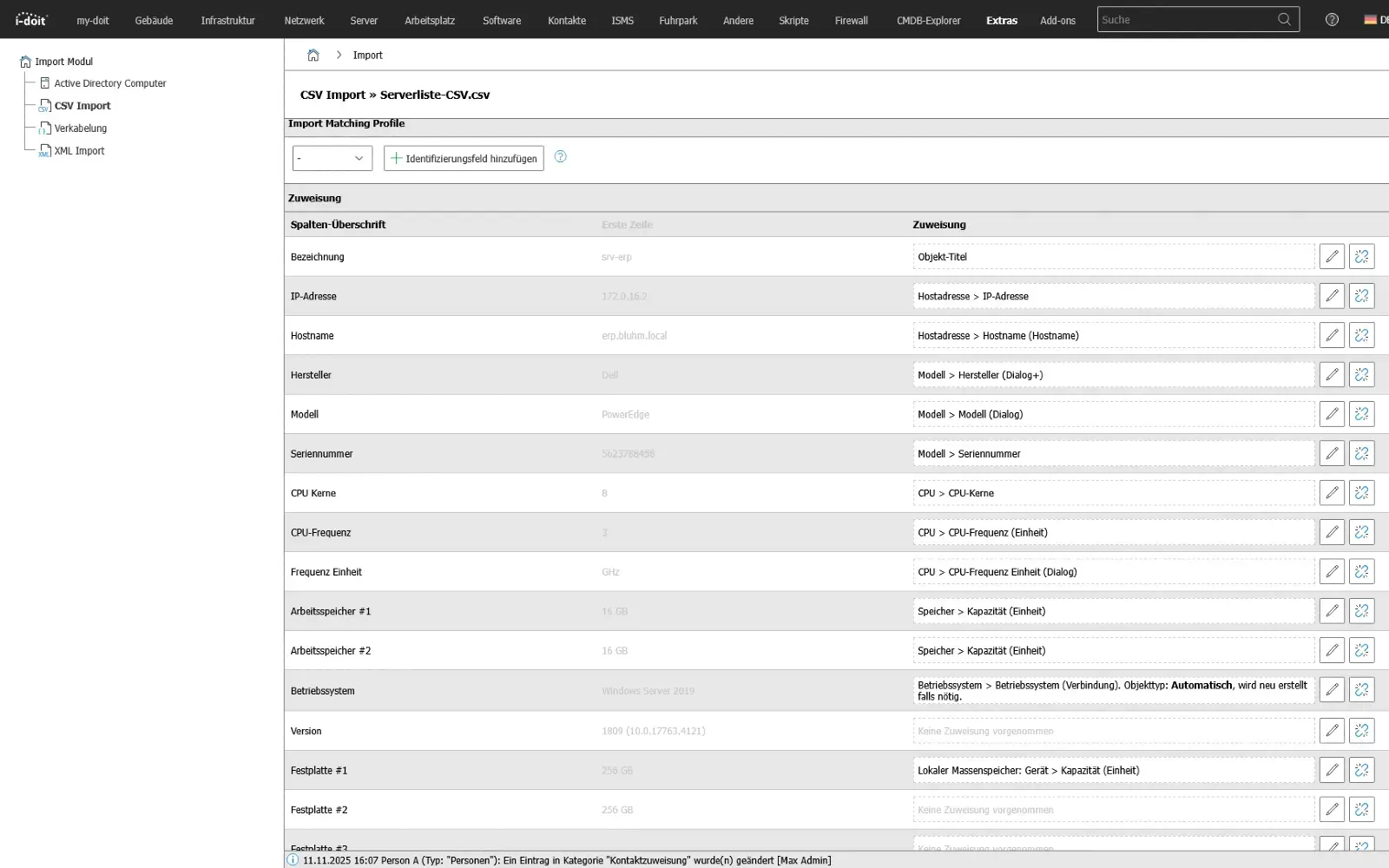
2.Configure import via the web interface

In i-doit, you can now define how the Excel columns are assigned to the respective CMDB objects. For example, a "Serial number" column can be assigned directly to the device object, "Room" to the location module or "Version" to a software entry. These assignments can be saved as a reusable import profile so that subsequent updates or other Excel sources can be quickly imported again.

use-case-csv

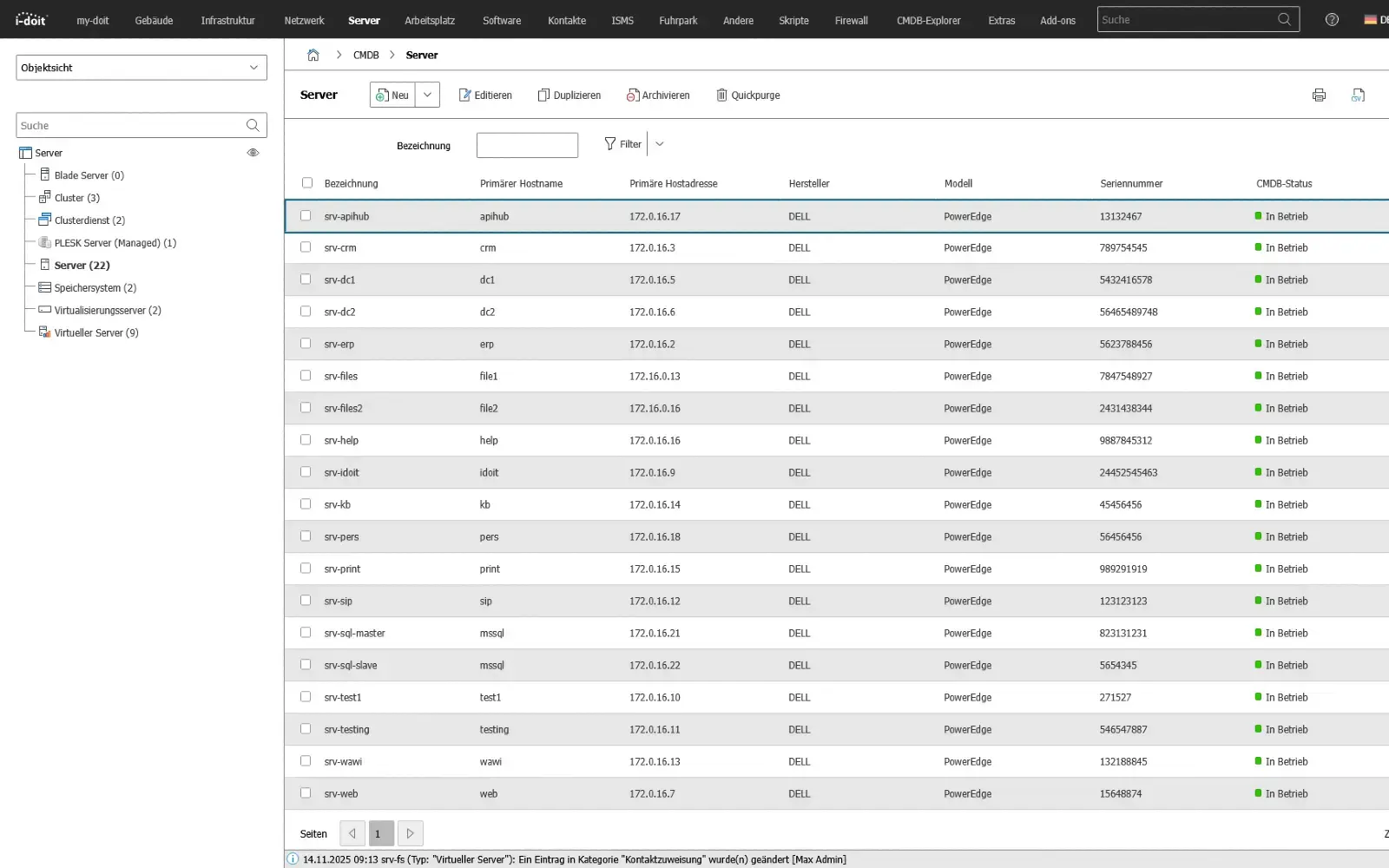
3. Start import - ready to be transferred to the CMDB

With one click, i-doit imports all the data, creates the appropriate configuration items and automatically links them together. Devices are assigned to their rooms, software is linked to systems and contracts appear directly with the corresponding assets. The previously scattered Excel files are thus transferred into a clean, structured CMDB.

use-case-cmdb-server

Supplementary applications

1. Maintain compliance (KRITIS, ISO27001 and NIS2)

Ensure compliance with laws, standards and directives with a CMDB.
With i-doit, risks according to ISO 27001 can be systematically recorded, evaluated and linked to the affected assets. This creates a transparent basis for the verification of security measures and the implementation of NIS2 requirements. Technical and organizational measures (TOMs) are centrally documented, monitored and maintained in an audit-proof manner.

Advantages:

  • Auditable company divisions
  • Audit-proof recording in accordance with NIS2 & ISO-27001 & BSI-KritisV
  • Strengthening of information security,
  • Implementation of PDCA processes
  • Faster response in the event of an incident or crisis
i-doit Screenshot Compliance

2. IT concepts, emergency and system manuals

Create, link and maintain operational and emergency documentation in a structured and audit-proof manner.

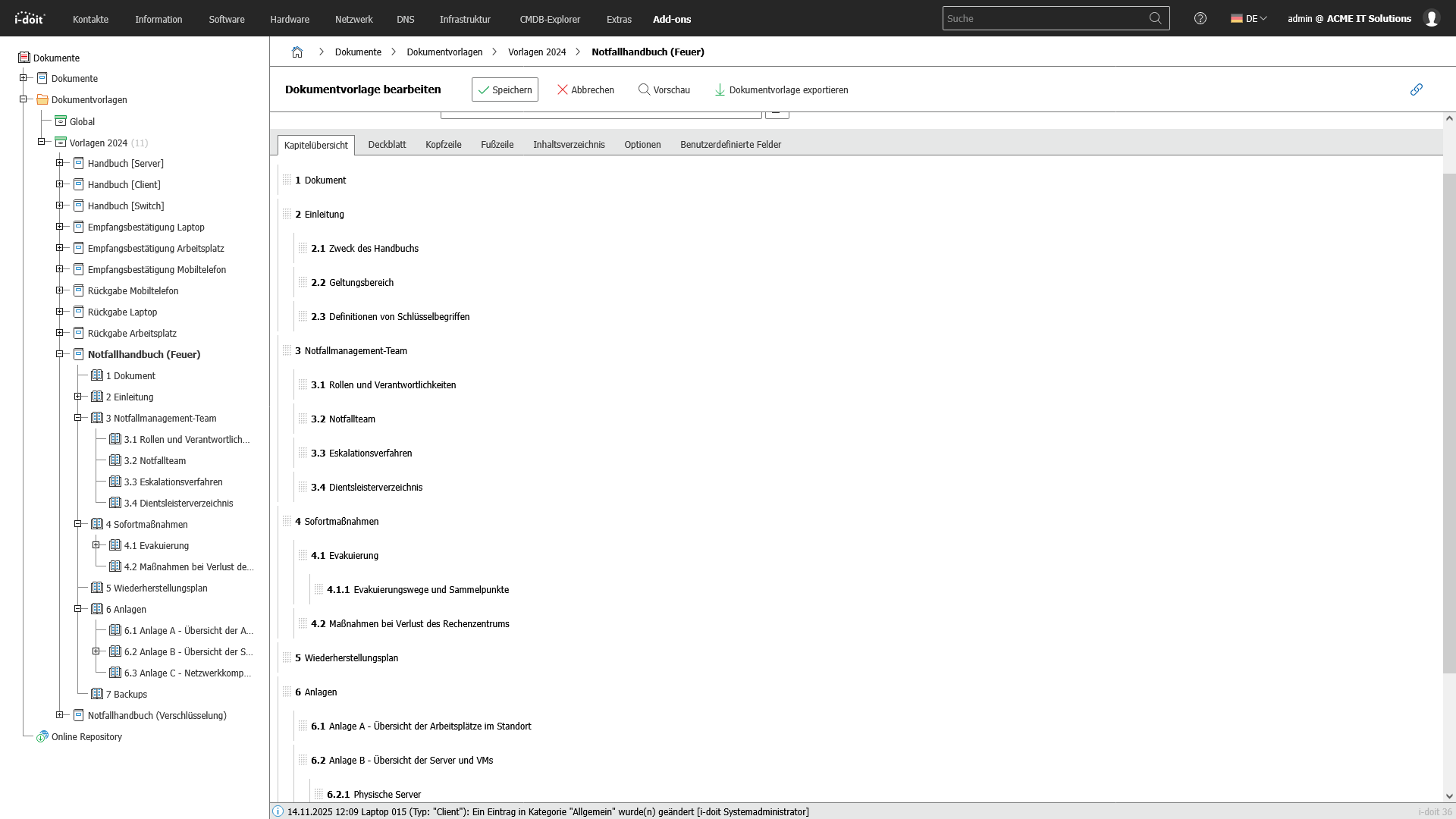
With the i-doit CMDB, companies can create and maintain all important technical documentation in a complete, up-to-date and audit-proof manner. i-doit enables the structured creation of emergency manuals, system manuals, operating concepts and guidelines. These can be linked directly to the associated assets, processes and locations. As a result, all documentation is automatically fed with real statuses from the IT landscape and remains permanently consistent.

All relevant information such as responsibilities, operating parameters, dependencies, restart processes and recovery times (RTO/RPO) are maintained and versioned centrally. The connection to infrastructure, applications and services means that documentation is not only maintained, but actively lived and constantly kept up to date. This is one of the most important factors for audits, certifications and operational stability.

Advantages:

  • Centralized, versioned and audit-proof documentation
  • Clear responsibilities and traceable operating processes
  • Audit and audit-proof evidence in accordance with ISO 27001, NIS2 and BSI requirements
  • Faster restart times in an emergency thanks to clear, always up-to-date instructions
  • Transparent dependencies between systems, processes and services
Emergency manualg

3. Connection of third-party systems (API)

Connect systems automatically and exchange data seamlessly between applications.

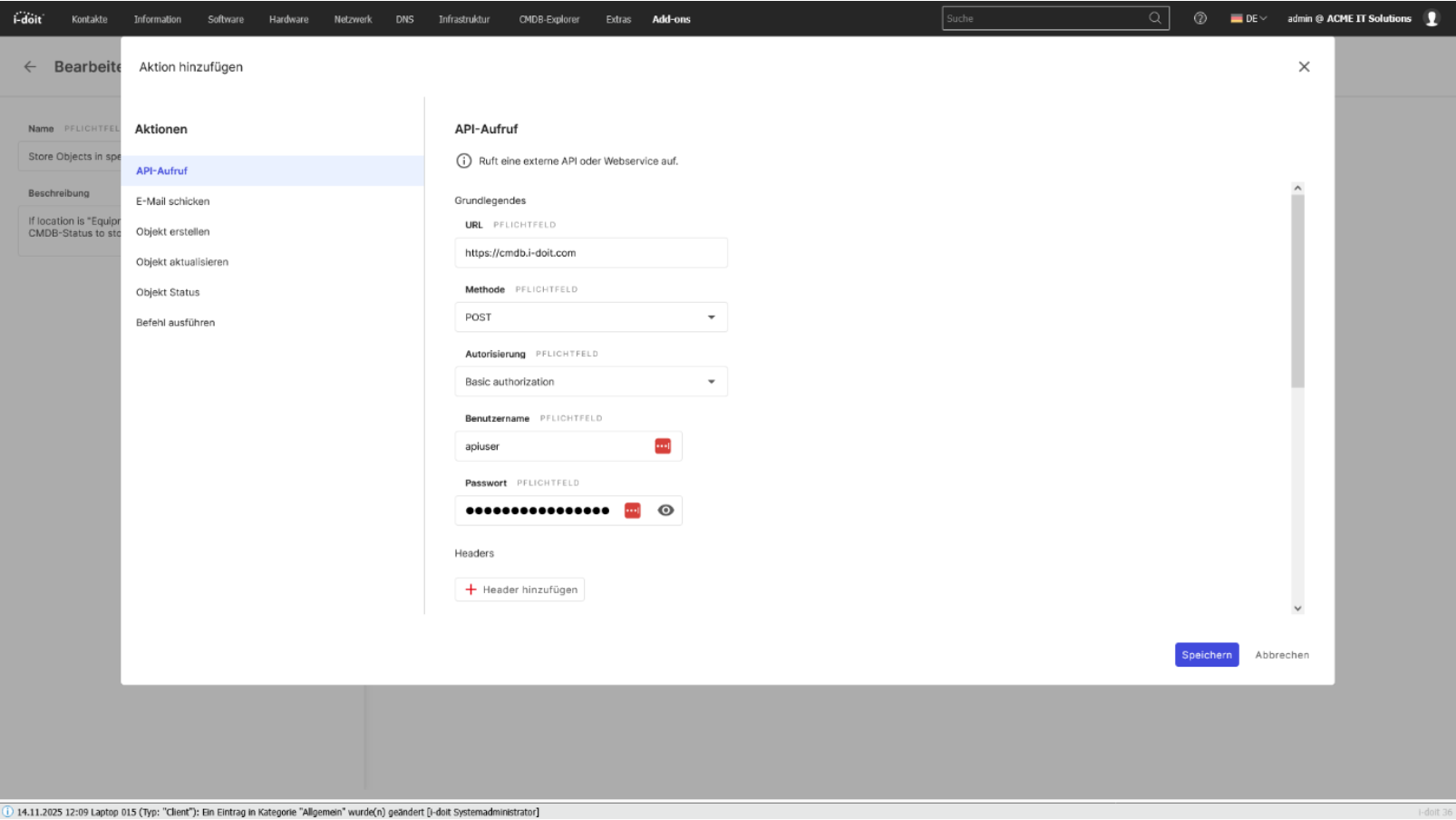
With the i-doit API, you can seamlessly connect your CMDB to existing applications, services and automations. Whether ticketing, monitoring, discovery, asset management or your own business tools: Data can be exchanged bidirectionally, updated and processed in real time. This creates a central information point that connects different systems with each other and considerably simplifies processes.

Configurations, status values, object data and relationships can be automatically transferred to or from external systems. Changes made in a connected system can be immediately mapped in the CMDB - without manual effort and without duplicate data storage.

The API enables companies to flexibly expand their processes, automate workflows and make information available exactly where it is needed.

Advantages:

  • Automatic data exchange between CMDB and third-party systems
  • Bidirectional synchronization of assets, status values, relationships and metadata
  • No duplicate maintenance thanks to a central, standardized data source
  • Flexible integration into existing software landscapes and specially developed tools
  • Automation of processes (e.g. creation of new tickets, discovery updates, monitoring alerts)
  • Higher data quality, as information is always kept up-to-date and consistent
  • Optimal basis for processes, reporting, audits and ITSM workflows
i-doit Screenshot Api usage

4. Inventory with QR codes

Immediately record and identify assets on site and update them directly in the CMDB.

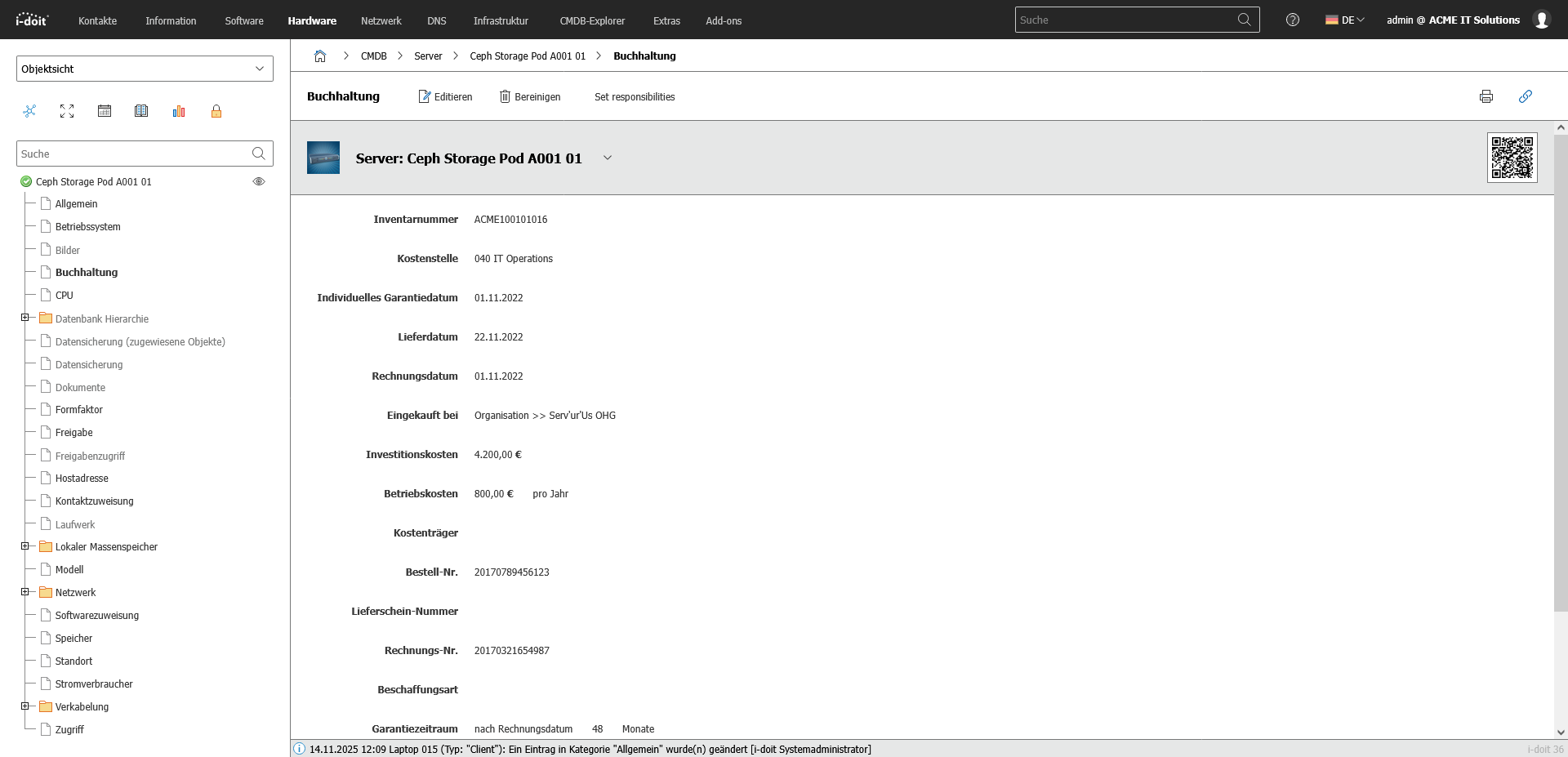
With the i-doit CMDB, the entire inventory process can be digitized and considerably simplified through the use of QR codes. Each asset, from servers and network components to mobile devices, furniture or tools, is given a unique QR code that links directly to the assets in i-doit. This means that information can be accessed immediately on site and changes can be recorded directly on the asset.

Mobile devices can be used to update hardware, software versions, locations, responsibilities or maintenance information quickly and without errors. The QR code function supports internal processes as well as audits, inventory checks and lifecycle-based documentation.

Advantages:

  • Fast, local inventory using a smartphone or tablet
  • Reduced error rate thanks to automated allocation
  • Centrally maintained data as the basis for audits and ITSM processes
  • Transparent documentation of location and status changes
  • Ideal for inventories, relocations, technology changes and lifecycle-based processes
QR code

5. Management of mobile devices

Centrally control, document and securely manage smartphones, tablets and laptops.

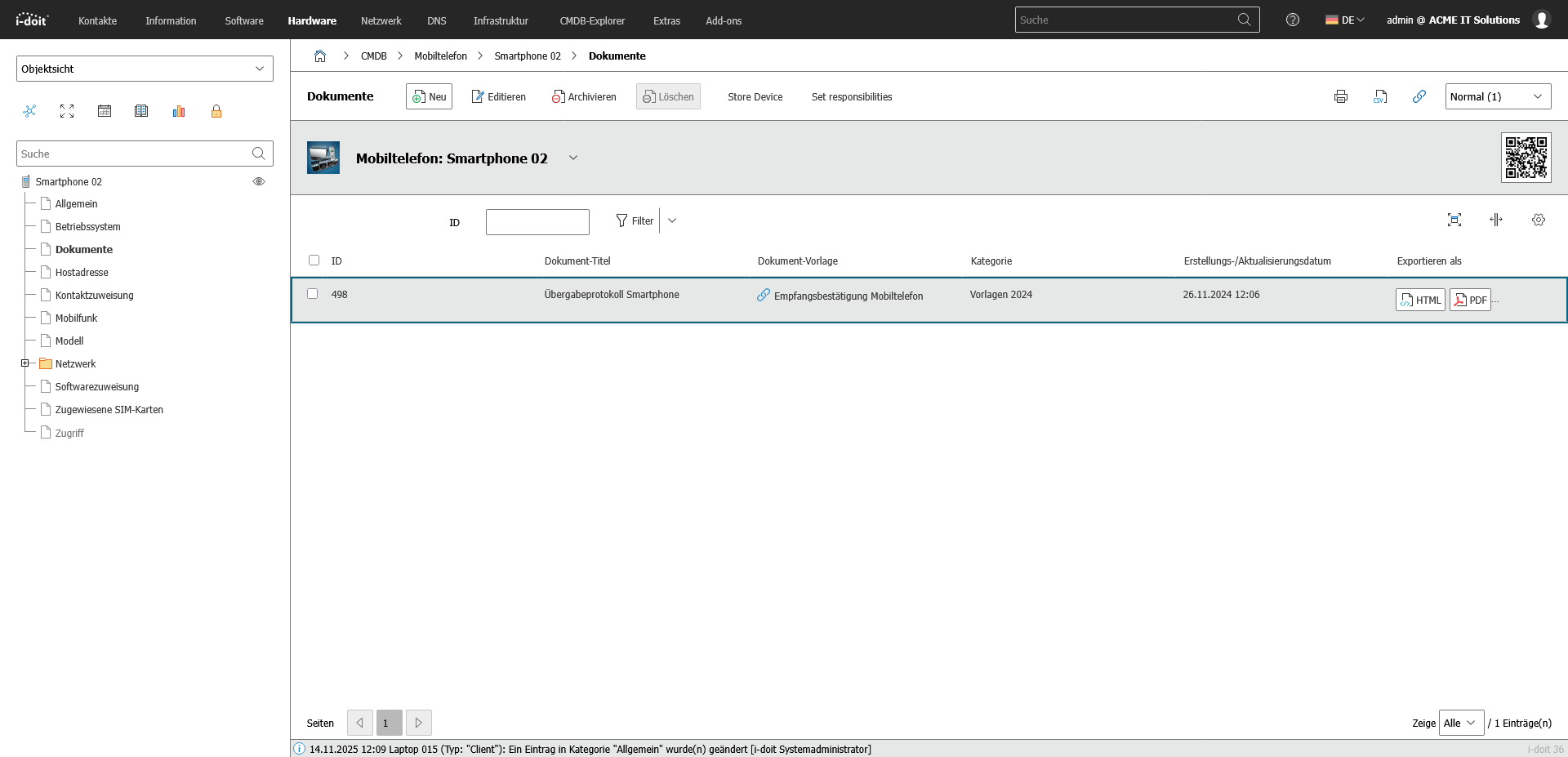
With i-doit, mobile devices such as smartphones, tablets, laptops and accessories can be managed centrally, completely and in an audit-proof manner. All relevant information - from serial numbers and contracts to installed apps and security guidelines - is clearly recorded and linked to users, locations and services. This allows companies to maintain an overview of inventories, responsibilities and lifecycles at all times.

By linking to MDM systems, inventory tools or Active Directory, devices can be automatically synchronized and kept up to date. Guidelines, security requirements and compliance specifications are documented transparently and mapped with the respective assets. Failures, losses and device changes can be efficiently tracked and managed.

Advantages:

  • Transparent management of all mobile devices in the company
  • Reduced risks thanks to documented security and compliance requirements
  • Automatic updating via MDM or AD interfaces
  • Faster processes for onboarding, device replacement or loss cases
  • Central database as a basis for audits, ITSM and budget planning
Handover smartphone
Contact (1)

Book your personal live demo

Our i-doit team will be happy to take the time to advise you personally on your application.

Integrations

Suitable add-ons

Our add-ons for modular function expansion

add-on-flows-box
i-doit Add-on Flows

Create powerful automations without programming knowledge, simply start them on a schedule or manually at the touch of a button.

See more

add-on-smart-bundle-box
i-doit Add-on Smart Bundle

Get 4 powerful add-ons for the price of 2! Flows, Documents, Analysis and Forms.

See more

add-on-documents-box
i-doit Add-on Documents

Automatically create documents as PDFs with daily updated data (e.g. hardware handover certificate or disaster recovery plan).

View more

add-on events box
i-doit Add-on Events

Automate the operation of your data center with the latest data from the CMDB. Events trigger and control further processes.

See more

add-on-maintenance-box
i-doit Add-on Maintenance

The maintenance add-on supports the planning, execution and documentation of maintenance and inspections. Maintenance intervals, dates and responsibilities are managed centrally and linked directly to the respective devices, installations or systems.

View more

add-on-api-box
i-doit Add-on Api

With the API add-on, data can be automatically read, written and updated in i-doit. Perfect for integrations with ticket systems, inventory tools or your own automations.

See more

add-on-analysis-box
i-doit Add-on Analysis

Add-on for powerful data analysis. Calculate service costs, check the data quality of the CMDB and carry out failure simulations.

See more

add-on-forms-box
i-doit Add-on Forms

Easily create forms that you can make available to users for simplified data entry. Example: Allow users to document hardware or goods themselves.

View more

add-on-isms-box
i-doit Add-on ISMS

Set up an information security management system with risk analysis and management in accordance with ISO 27001.

View more

add-on-checkmk2-box
i-doit Add-on Checkmk2

Integrate the Checkmk2 monitoring system into i-doit. This supports comparisons between TARGET and ACTUAL from CMDB and monitoring.

See more

add-on-trigger-box
i-doit Add-on Trigger

Store buttons with your own triggers and start IT processes directly from i-doit - e.g. the automatic deployment of a virtual machine.

See more

add-on viva2-box
i-doit Add-on VIVA2

With this add-on, you can create an information security management system (ISMS) in accordance with the BSI's IT baseline protection methodology.


View more