Skip to content

State, administration and educations

- Software, use cases & solutions

Public administrations are faced with the task of operating complex technical and organizational structures securely, comprehensibly and efficiently. IT systems, specialist applications, buildings, networks, contracts, budgets and responsible parties must be reliably documented at all times - not only for day-to-day operations, but also for reviews, audits and legal requirements.

rating-stars-transparent-white 4.7/5 on Capterra | 2,000+ satisfied customers

use-cases-industries-state-header

Use cases

i-doit use cases for your documentation needs

Network and cabling management

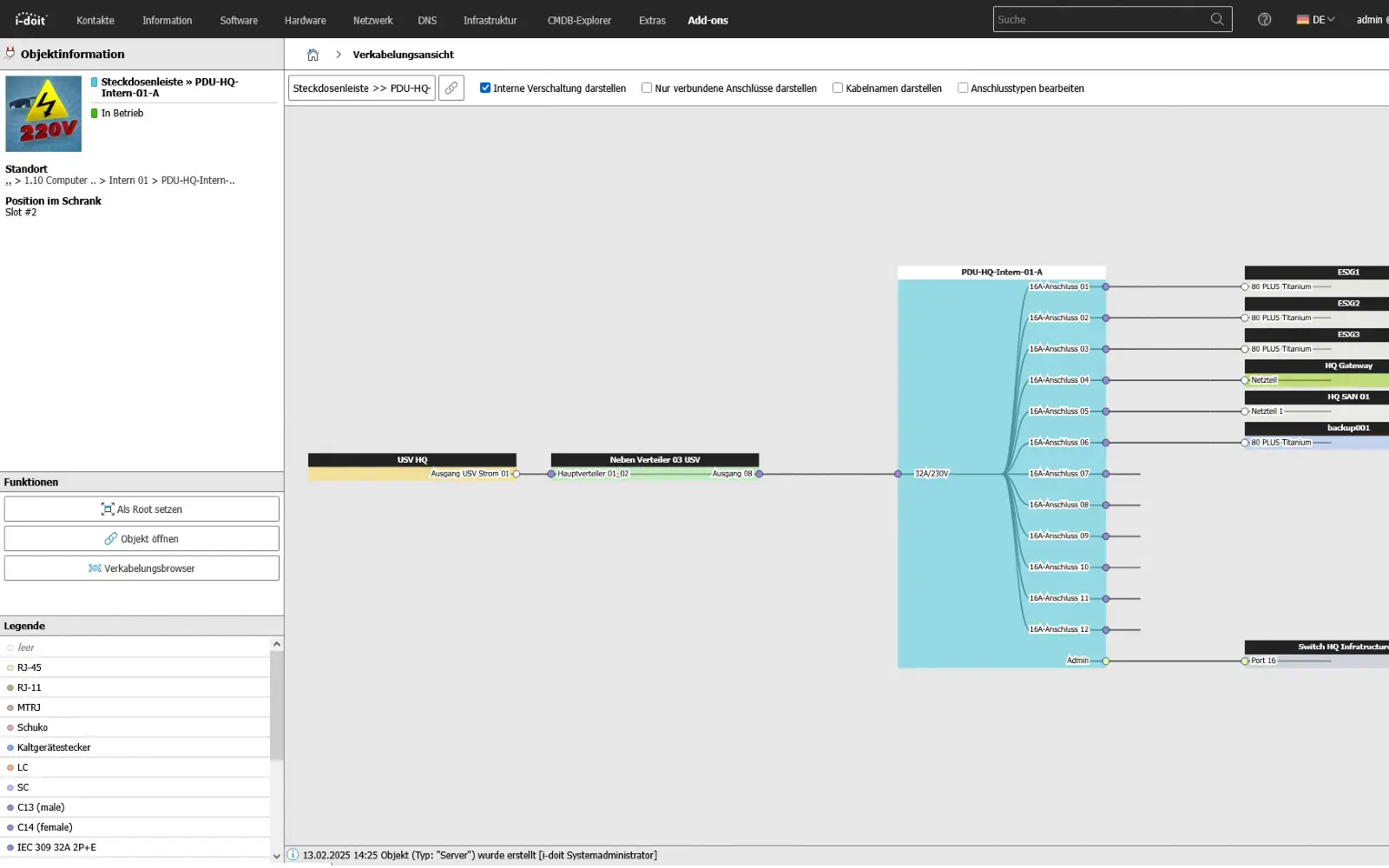
You document active and passive network elements including cabling, port assignment, IP addresses and configurations centrally and comprehensibly.

View use case

Software and license management

You record and analyze software and licenses, monitor runtimes, users and authorizations and avoid license violations and unnecessary costs.

View use case

Reporting and auditing

You analyze your IT infrastructure, identify documentation gaps and create location, user or cost centre-related reports and audit PDFs.

View use case

Contract management
Contract management

You document and manage contracts centrally, link them to objects and responsible parties and are automatically informed about deadlines and terms.

View use case

Life cycle management

They document maintenance and lifecycles, make changes traceable, automate processes and keep track of responsibilities and warranty periods.

View use case

Location management
Location management

You document locations, rooms and infrastructure, link these to contact persons and also visualize server rooms clearly.

View use case

Solutions for authorities

Public authorities manage a wide range of technical and organizational areas: IT workstations, specialist applications, networks, building technology, contracts and responsibilities. Without central documentation, media disruptions, additional work and sources of error quickly arise. i-doit brings all information together in one place and makes structures traceable.

Documentable:

  • IT workstations, end devices, servers, networks and software
  • Buildings, rooms, locations and technical equipment
  • Contracts, service providers, budget items and budgets
  • Maintenance, inspections, operator obligations and responsibilities
  • Dependencies between IT, rooms, processes and applications

Advantages:

  • Central overview instead of scattered information
  • Audit-proof documentation for internal and external audits
  • Greater transparency for decisions, budget planning and operational reliability
  • Less coordination effort and clear responsibilities
use-case-bahn-virtualization-host

Solutions for municipalities

Municipalities manage a wide variety of buildings, facilities and IT systems. The central challenge: documenting everything clearly and keeping it accessible for employees.

i-doit brings all rooms, equipment, technical systems and responsibilities together on one platform. In this way, facilities are clearly structured, processes are simplified and knowledge is permanently secured.

Documentable:

  • IT systems, networks, servers, end devices, software
  • Building technology, rooms, locations, equipment and supply areas
  • Vehicles, radio technology, equipment for the building yard, citizen services and administration
  • Budget items, contracts, service providers and responsibilities
  • Maintenance plans, checks, operator obligations and test certificates

Advantages:

  • Transparency across all municipal facilities and technical assets
  • Standardized database for operation, budget planning and tenders
  • Fewer errors and less time wasted thanks to clear documentation
  • Better collaboration between specialist departments and technology
use-case-maintenance-patch

Solutions for schools and educational institutions

Schools and educational institutions use a variety of devices, software solutions, networks, rooms and media equipment. At the same time, there is often a lack of central structures, which makes maintenance, support, handover of equipment and planning of new components difficult. i-doit creates order and makes all inventories traceable.

Documentable:

  • IT equipment, end devices, servers, networks and WLAN structures
  • Classrooms, specialist rooms, equipment, furniture and media devices
  • Software licenses, access, learning platforms and applications
  • Maintenance, checks, responsibilities and service providers
  • Locations, buildings, areas and their dependencies

Advantages:

  • Complete overview of equipment, rooms and IT structures
  • Easier planning for media concepts and budget
  • Clearly traceable responsibilities for support and operation
  • Reduced effort in the event of changes, faults and rollouts
use-case-iplist-network

Solutions for public institutions

Museums, libraries, cultural centers, social institutions and other organizations in the public sector manage buildings, technical systems, IT and visitor infrastructure. i-doit brings all these elements into a central, transparent structure. Teams can access the information they need centrally and work together on a single database.

Documentable:

  • IT systems, networks, servers, software and end devices
  • Buildings, rooms, exhibit areas, security technology and equipment
  • Contracts, maintenance, service providers and operator obligations
  • Inspections, security requirements, documentation obligations
  • Dependencies between building technology, IT and operating processes

Advantages:

  • Clarity about all technical equipment and building structures
  • Fewer manual lists, less chaos, less coordination effort
  • Audit-proof documentation for checks, audits and internal processes
  • Better planning for operation, conversion, extensions and budget
use-case-report-changes

Suitable add-ons

Our add-ons for modular function expansion

add-on-flows-box
i-doit Add-on Flows

Create powerful automations without programming knowledge, simply start them on a schedule or manually at the touch of a button.

See more

add-on-smart-bundle-box
i-doit Add-on Smart Bundle

Get 4 powerful add-ons for the price of 2! Flows, Documents, Analysis and Forms.

See more

add-on-documents-box
i-doit Add-on Documents

Automatically create documents as PDFs with daily updated data (e.g. hardware handover certificate or disaster recovery plan).

View more

add-on events box
i-doit Add-on Events

Automate the operation of your data center with the latest data from the CMDB. Events trigger and control further processes.

See more

add-on-maintenance-box
i-doit Add-on Maintenance

The maintenance add-on supports the planning, execution and documentation of maintenance and inspections. Maintenance intervals, dates and responsibilities are managed centrally and linked directly to the respective devices, installations or systems.

View more

add-on-api-box
i-doit Add-on Api

With the API add-on, data can be automatically read, written and updated in i-doit. Perfect for integrations with ticket systems, inventory tools or your own automations.

See more

add-on-analysis-box
i-doit Add-on Analysis

Add-on for powerful data analysis. Calculate service costs, check the data quality of the CMDB and carry out failure simulations.

See more

add-on-forms-box
i-doit Add-on Forms

Easily create forms that you can make available to users for simplified data entry. Example: Allow users to document hardware or goods themselves.

View more

add-on-isms-box
i-doit Add-on ISMS

Set up an information security management system with risk analysis and management in accordance with ISO 27001.

View more

add-on-checkmk2-box
i-doit Add-on Checkmk2

Integrate the Checkmk2 monitoring system into i-doit. This supports comparisons between TARGET and ACTUAL from CMDB and monitoring.

See more

add-on-trigger-box
i-doit Add-on Trigger

Store buttons with your own triggers and start IT processes directly from i-doit - e.g. the automatic deployment of a virtual machine.

See more

add-on viva2-box
i-doit Add-on VIVA2

With this add-on, you can create an information security management system (ISMS) in accordance with the BSI's IT baseline protection methodology.

View more

Contact (1)

Book your personal live demo

Our i-doit team will be happy to take the time to advise you personally on your application.
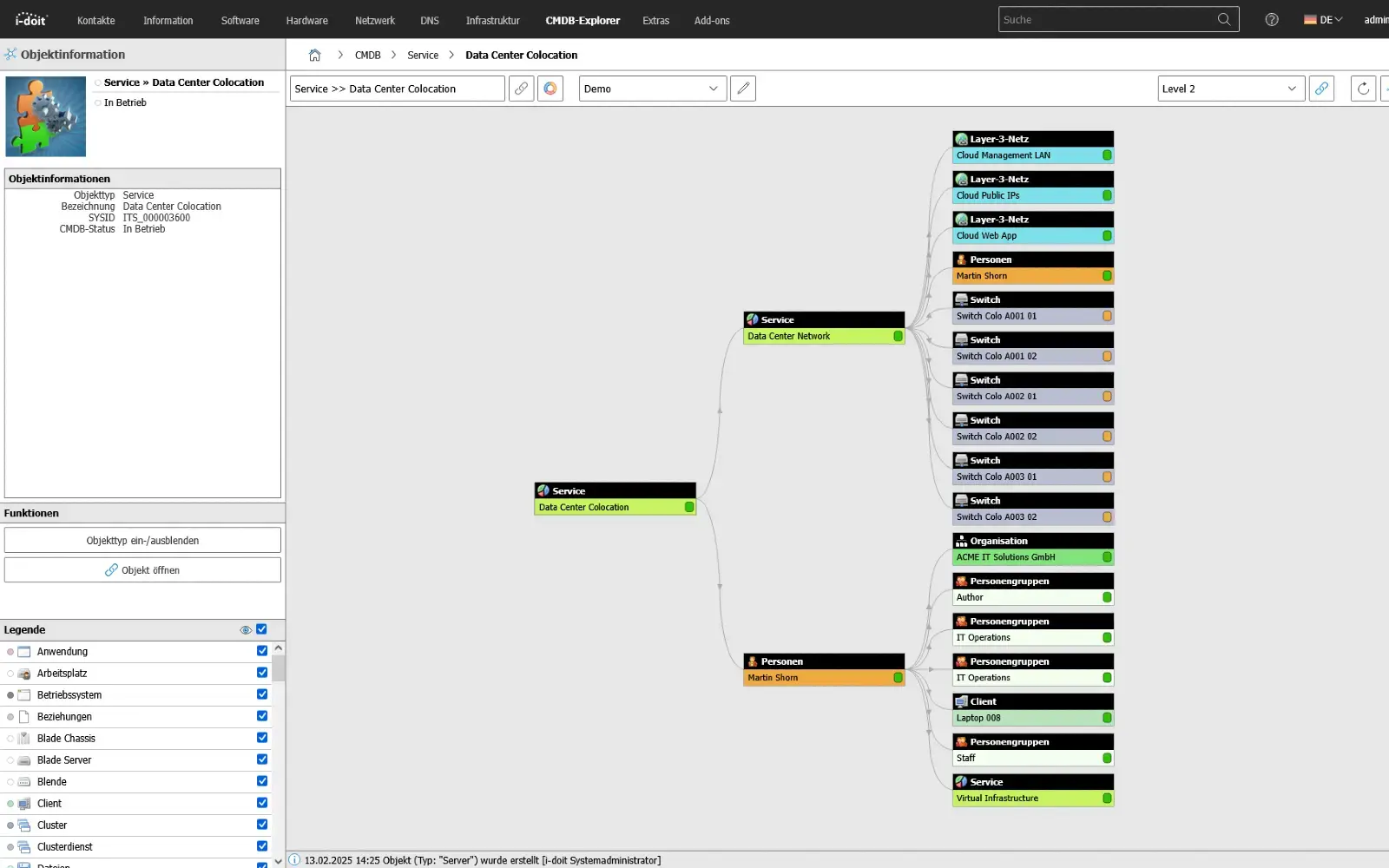
Applications for government and administration

Compliance (KRITIS, ISO27001 and NIS-2)

Ensure compliance with laws, standards and guidelines.

Secure critical infrastructures transparently. With i-doit, risks according to ISO 27001 can be systematically recorded, evaluated and linked to the affected assets. This creates a transparent basis for the verification of security measures and the implementation of NIS2 requirements. Technical and organizational measures (TOMs) are centrally documented, monitored and maintained in an audit-proof manner.

Advantages:

  • Auditable infrastructure
  • Audit-proof recording in accordance with NIS2 & ISO-27001 & BSI-KritisV
  • Strengthening of information security
  • Implementation of PDCA processes
  • Faster response in the event of an incident or crisis
use-case-cmdb-explorer-datacenter

Ticketing - Central process control

Link processes and associated assets.

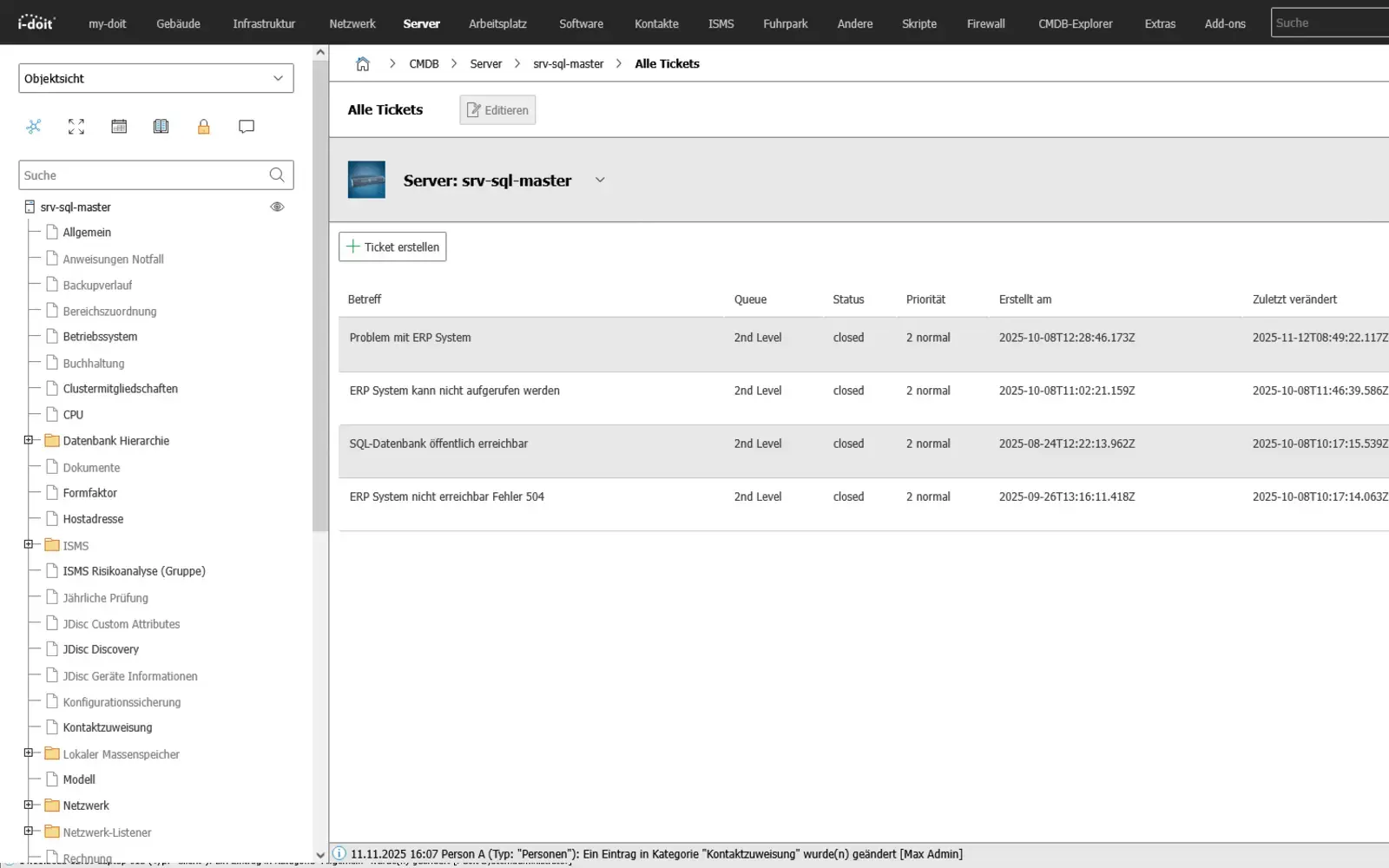
Control IT service processes efficiently and transparently. With the integration of ticket systems in i-doit, you can bundle all processes in one place. From fault reports and change requests to service requests. The link to your assets, contracts and responsibilities creates a central information base for the entire IT operation.

Tickets are documented in a traceable manner, automatically classified and can be prioritized, delegated and closed using defined workflows. This creates a smooth process between technology, organization and support.

Advantages:

  • Standardized control of all IT processes
  • Clear responsibilities and faster response times
  • Seamless traceability of changes and measures
  • Direct connection to CMDB objects and documentation
  • Basis for key figures, evaluations and process optimization
use-case-cmdb-ticketing

Live status from monitoring

Integrate live data into IT documentation

Efficient monitoring ensures that your IT systems are available and transparently documented at all times. With i-doit, monitoring data can be transferred directly into the CMDB. Devices, hosts and services are automatically synchronized and kept up to date. This gives you an overview of the status and life cycle of your entire infrastructure.

By linking monitoring information with the IT documentation, you can detect failures at an early stage, track changes to devices or services and analyze dependencies in a targeted manner. i-doit not only makes monitoring data visible, but also forms the basis for data-driven decisions.

Advantages of infrastructure monitoring with i-doit:
  • Automatic synchronization: devices, hosts and services from the monitoring are directly synchronized with the IT documentation - without double maintenance effort.
  • Up-to-date system overview: All status information, runtimes and changes are visible in the CMDB at all times.
  • Fast error detection: Failures and faults are recorded immediately and displayed in the documentation.
  • Life cycle transparency: Changes, maintenance and replacement times can be tracked seamlessly.
  • Linked information: Monitoring data is in the context of services, contracts, locations or responsible parties.
  • Better basis for decision-making: The combination of real-time data and documentation creates a complete picture of your IT landscape.
  • Efficiency and compliance: Less manual work, reduced risk of errors and clean evidence for audits and certifications.
use-case-cabling-3

Automatic network inventory

Complete and up-to-date recording of IT infrastructure.

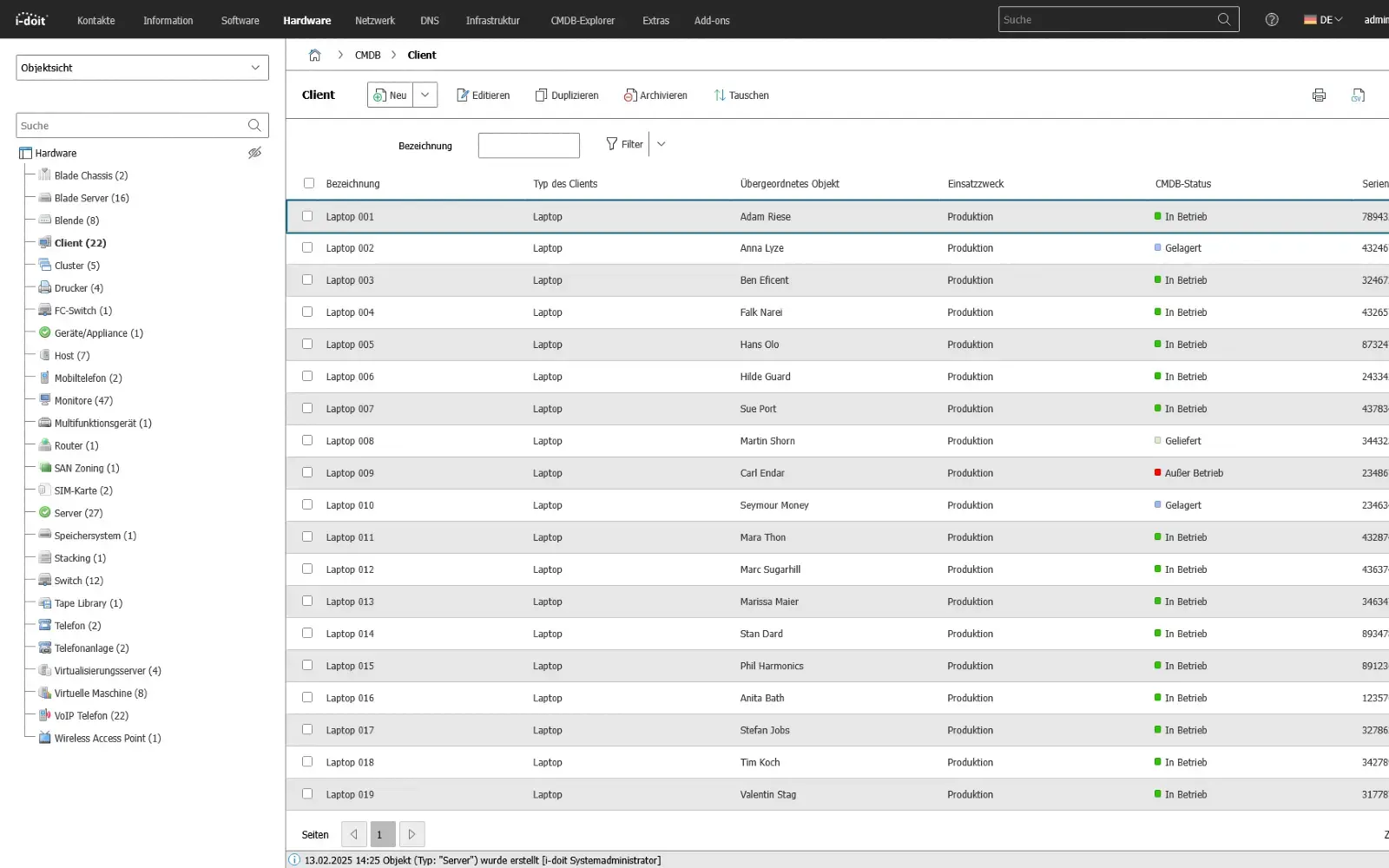
With the automatic network inventory, all devices, systems and software installations in your network are regularly detected, recorded and synchronized with i-doit. This creates an up-to-date and complete CMDB - without any manual effort.

By connecting tools such as JDisc, OCS Inventory or Baramundi, all relevant information - from hardware data and installed software to IP addresses and ports - can be centrally managed and evaluated. Changes in the network are automatically detected and documented in a versioned format.

Advantages:

  • Complete and up-to-date IT database without manual effort
  • Automatic detection of changes in the network
  • Seamless integration with the i-doit CMDB
  • Basis for audits, compliance and IT documentation
  • Significant time savings for inventory and IT reporting
use-case-CMDB-client-status

API usage - exchange data intelligently with other systems

Synchronize data between any applications and systems

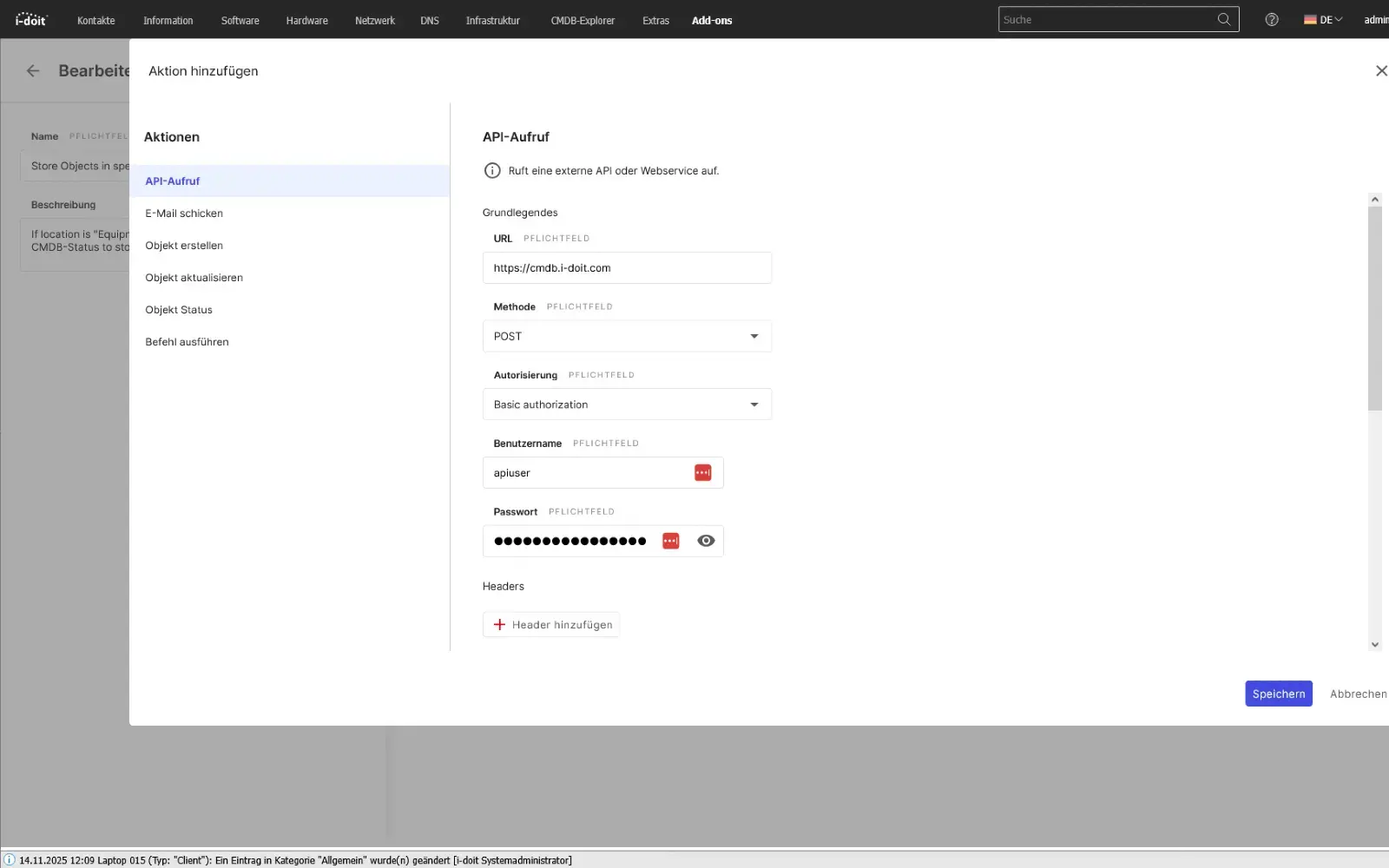
With the i-doit API, you can seamlessly connect your CMDB to existing applications, services and automations. Whether ticketing, monitoring, discovery, asset management or your own business tools: Data can be exchanged bidirectionally, updated and processed in real time. This creates a central information point that connects different systems with each other and considerably simplifies processes.

Configurations, status values, object data and relationships can be automatically transferred to or from external systems. Changes made in a connected system can be immediately mapped in the CMDB - without manual effort and without duplicate data storage.

The API enables companies to flexibly expand their processes, automate workflows and make information available exactly where it is needed.

Advantages:

  • Automatic data exchange between CMDB and third-party systems
  • Bidirectional synchronization of assets, status values, relationships and metadata
  • No duplicate maintenance thanks to a central, standardized data source
  • Flexible integration into existing software landscapes and specially developed tools
  • Automation of processes (e.g. creation of new tickets, discovery updates, monitoring alerts)
  • Higher data quality, as information is always kept up-to-date and consistent
  • Optimal basis for processes, reporting, audits and ITSM workflows
use-case-api