Skip to content
ai-use-cases-close-up-view-of-computer-motherboard-elements

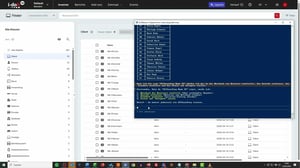
Define and execute workflows through AI integration

Define workflows and processes for your i-doit environment in your own chat application

Book a demo

Use the i-doit ChatCMDB Add-on to create workflows based on your existing documentation


Automate and streamline complex processes with workflows

With the i-doit ChatCMDB Add-on, you no longer need to perform recurring processes manually. Instead, you can trigger them directly via chat. Define the steps of a workflow once—for example, for employee offboarding—and then execute it with a simple command:

„Perform offboarding for Max Mustermann“

In the background, all predefined steps are carried out automatically: the user is removed, assigned devices are updated, locations are adjusted, and the status is changed to “In Storage” accordingly.

Key benefits at a glance:

  • Launch standardized processes instantly
  • No risk of missing individual process steps
  • Significantly faster than manual execution
  • Consistent implementation across all operations
  • Ideal for offboarding, onboarding, and recurring tasks
ai-use-case-screenshot-MCP-Flows-Workflow-definieren
Say goodbye to manual tasks in i-doit

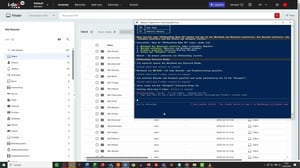
Instead of manually working through individual steps, you can trigger complete processes with a simple command. This saves time, reduces errors, and ensures consistent results.

Typical use cases:

  • Offboarding employees (remove users, adjust devices, set status)
  • Onboarding new employees (create users, assign devices, set locations)
  • Device rollouts and replacement processes
  • Standardized changes across multiple objects at once
  • Cleanup and updates of data inventories
ai-use-case-screenshot-MCP-Flows-ausfuehren
Improve your data quality through AI integration

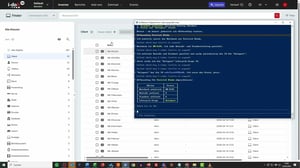
With the i-doit ChatCMDB Add-on, you no longer execute recurring processes manually—you trigger them with a simple command instead. Once defined, workflows are executed automatically and completely, without missed steps or inconsistent results. This saves time, improves data quality, and establishes clear, standardized processes across your entire IT operations.

Key benefits at a glance:

  • Consistent and standardized results
  • Start standardized processes via chat
  • No more missed steps
  • Significantly faster execution of complex workflows
  • Reduced workload in daily IT operations
ai-use-case-screenshot-MCP-Flows-abgeschlossen

FAQs about AI use cases

Your benefits at a glance

Which AI systems are supported?

Any AI system that communicates via the MCP protocol can be integrated. This makes the integration highly flexible and not limited to specific providers.

How can I test the add-on?

If you’d like to try the add-on yourself, please contact our sales team to request a trial license.

Can I use all API functionalities?

No. The current functionality is limited to the standard features available in the web interface. Advanced or custom API functions are currently not part of the integration.

Does the add-on only work on-premises or also in the cloud?

Yes. The solution can be used both in cloud environments and on-premises infrastructures.

Can you give me an overview of the add-on?

For a live demo, please contact our sales team directly.

contact-cta-bg-light

Book your personal live demo

Our i-doit team will be happy to take the time to advise you personally on your application.