
Skip to content

i-doit Suite+ BCM

Integrated business continuity management with CMDB integration

Efficiently implement business impact analyses, continuity strategies, and recovery plans — thanks to CMDB integration and a networked GRC ecosystem, you sustainably ensure the continuation of your critical business processes even in crisis situations. Available in the Cloud or On-premises.

rating-stars-transparent-white 4.7/5 onf Capterra | 2.000+ satisfied customers

i-doit-indart-header

Try i-doit Suite+ BCM free for 30 days now

icon-it-documentation-in-team-dk
2.000+ customers
icon-api-dk
No payment details required
icon-link-dk
Support included
icon-digital-contract-management-dk
Full feature set
icon-it-security-dk
GDPR compliant

Business continuity management system

From business impact analysis to continuity strategy – efficient, coordinated, and embedded in your entire GRC ecosystem

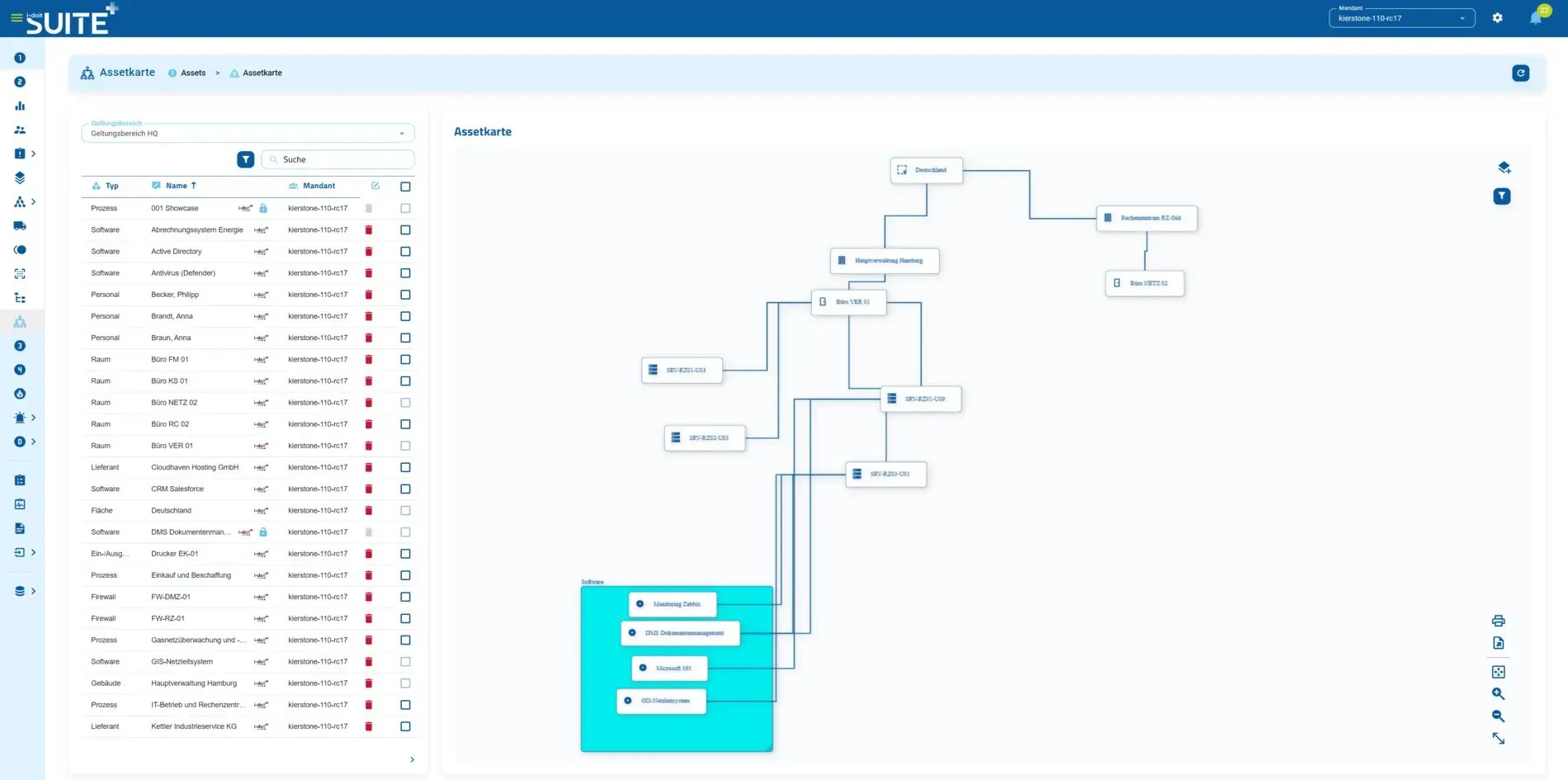
grcsuiteplus_Assetkarte
icon-it-documentation-in-team-lt Business Impact Analysis (BIA)
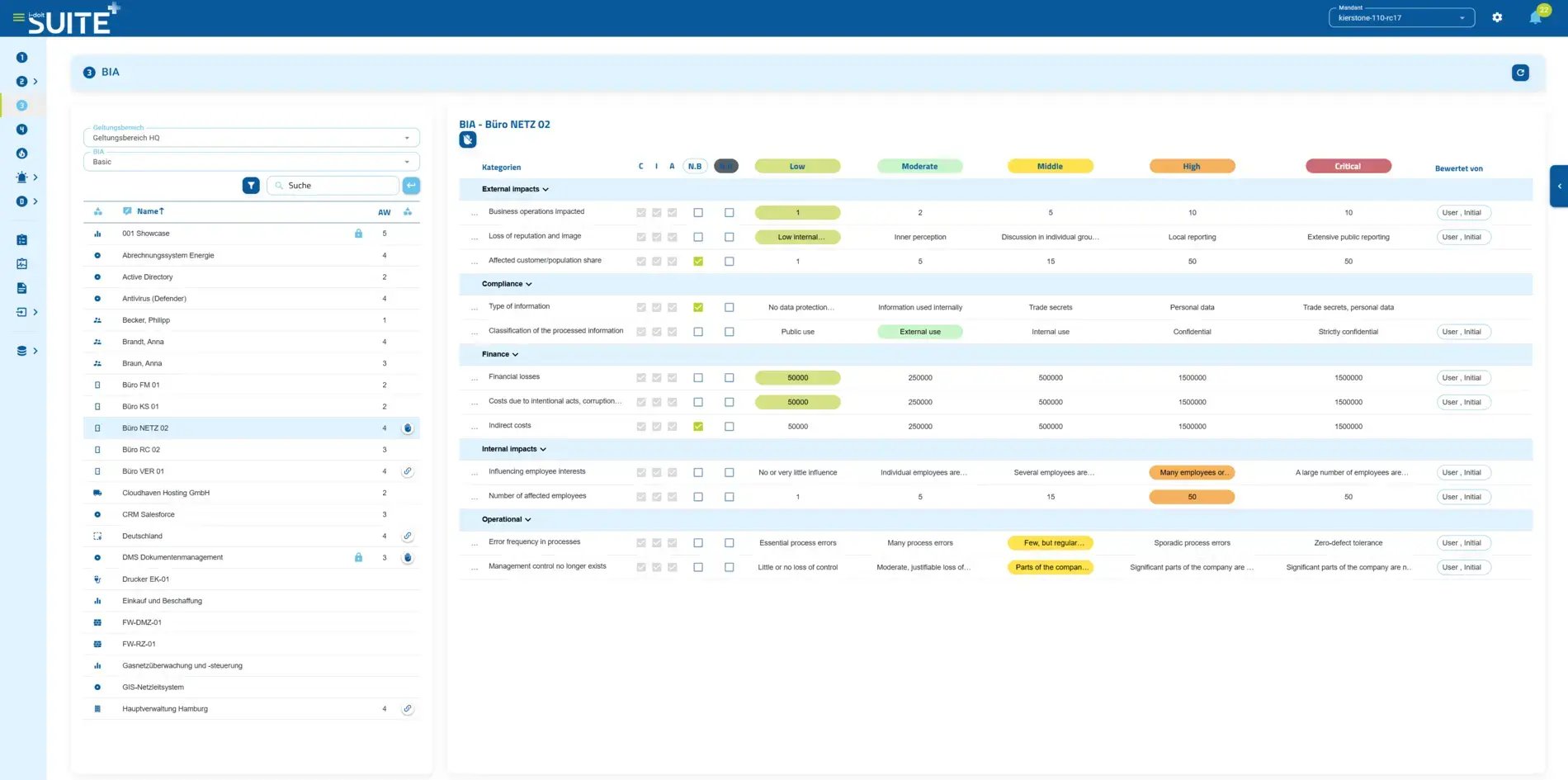
Systematically assess the criticality of your business processes and derive maximum tolerable downtime (MTD) and recovery objectives (RTO/RPO)  
icon-api-lt Continuity strategies & emergency preparedness
Develop robust strategies for maintaining critical processes and document alternative procedures for emergencies  
icon-link-lt Scenario simulation
Create scenarios to simulate possible outages (if-then relationships & asset tree) and realistically assess impacts on processes and infrastructure  
icon-digital-contract-management-lt Department & IT coordination
Coordinated collaboration of all parties – from crisis response through orderly return to normal operations  
icon-it-security-lt Connected risk management with ISMS & data protection

Maintain continuity plans, risks, and processes just once – thanks to a shared data basis with ISMS, emergency planning, and data protection, redundant data entry is eliminated
 

CMDB integration with i-doit up

Native integration in i-doit up with free base license

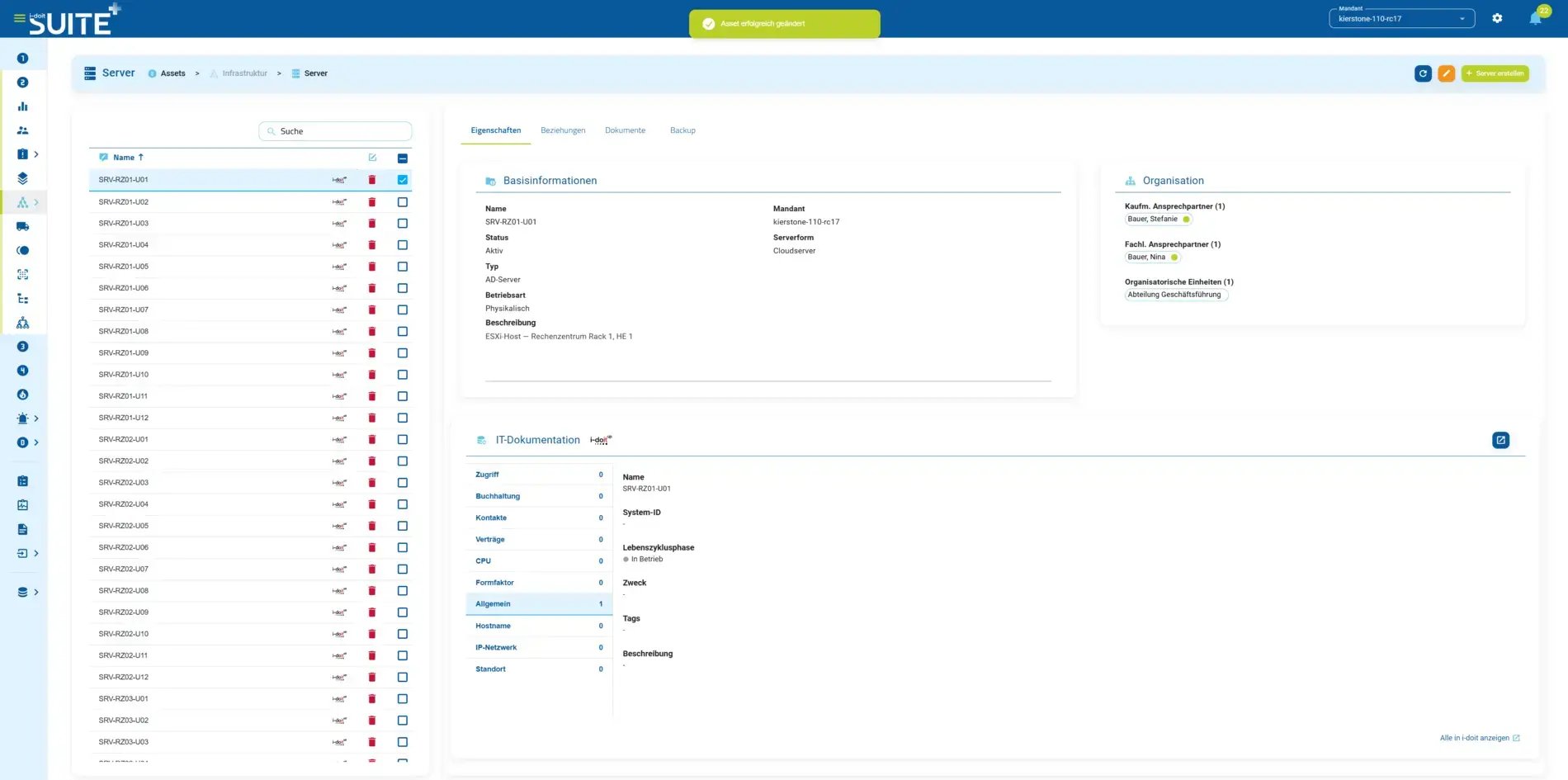
grcsuiteplus_Assetmanagemetn2
icon-it-documentation-in-team-lt Complete transparency
All IT assets, dependencies, and relationships at a glance – the foundation for informed continuity management decisions.  
icon-api-lt Always current inventory
Automated inventory management ensures your asset data never becomes outdated – manual Excel lists are a thing of the past.  
icon-link-lt Know dependencies for emergencies
Relationships between systems, applications, and processes become transparent – so continuity plans can be tailored precisely to your real infrastructure and failure impacts realistically assessed.  
icon-digital-contract-management-lt Well-founded decision foundation
A reliable, current database shortens response times in a crisis and accelerates audits, inspections, and compliance reporting.  

Benefits of your business continuity management

i-doit Suite+ BCM feature overview

The next-gen BCM platform in the Cloud & On-premises

Feature categories
Processes
idoit-check-mark
Business impact analysis (BIA)
idoit-check-mark
Asset management
idoit-check-mark
Document management
idoit-check-mark
Crisis and continuity teams
idoit-check-mark
Recovery plans for processes & infrastructure
idoit-check-mark
Procedure management
idoit-check-mark
Personnel loss management
idoit-check-mark
Master data
idoit-check-mark
Report management
idoit-check-mark
Outage manager
idoit-check-mark
Dashboards (Coming soon)
idoit-check-mark
Template and document control (Coming soon)
idoit-check-mark
Multi-tenancy
idoit-check-mark
Shared data foundation with ISMS, emergency planning & data protection
idoit-check-mark
Role and permission concept
idoit-check-mark
Goal management (Coming soon)
Optional
Vendor management
Optional
Catalogs
Optional
Purchase license
Optional
Optional Cloud or On-premises
idoit-check-mark

i-doit Suite+ BCM Overview

In 5 steps to optimal business continuity management

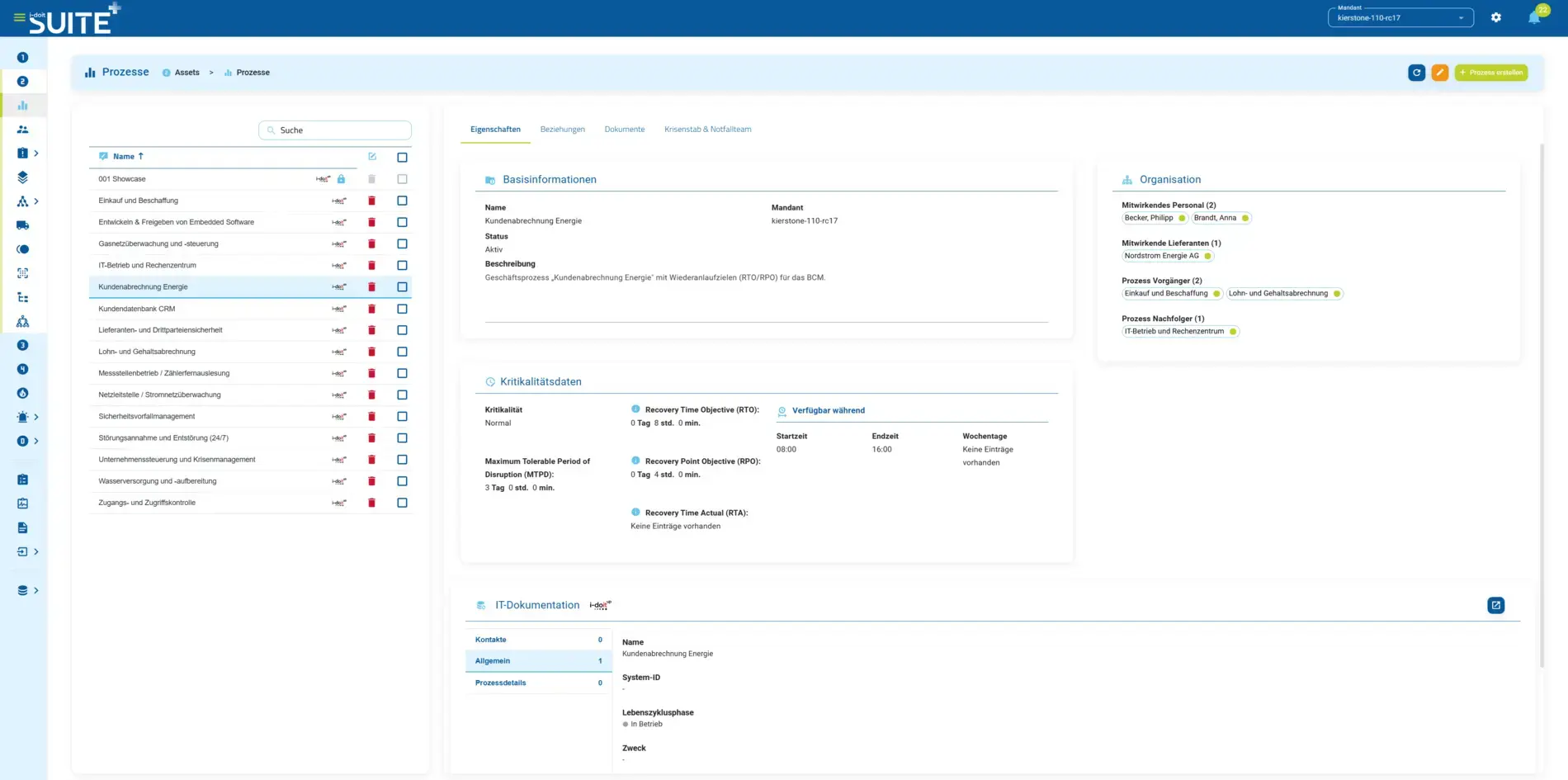
1. Asset management

Capture your business processes in a structured manner, assess their criticality, and define the consequences of failure. Document regulatory requirements directly on the respective process and build a clear responsibility hierarchy with crisis team and emergency team – optionally maintained manually or imported via interface (e.g., Active Directory), including access to existing personnel inventories from ISMS or Data Protection. 


grcsuiteplus_Assetsmanagement 1

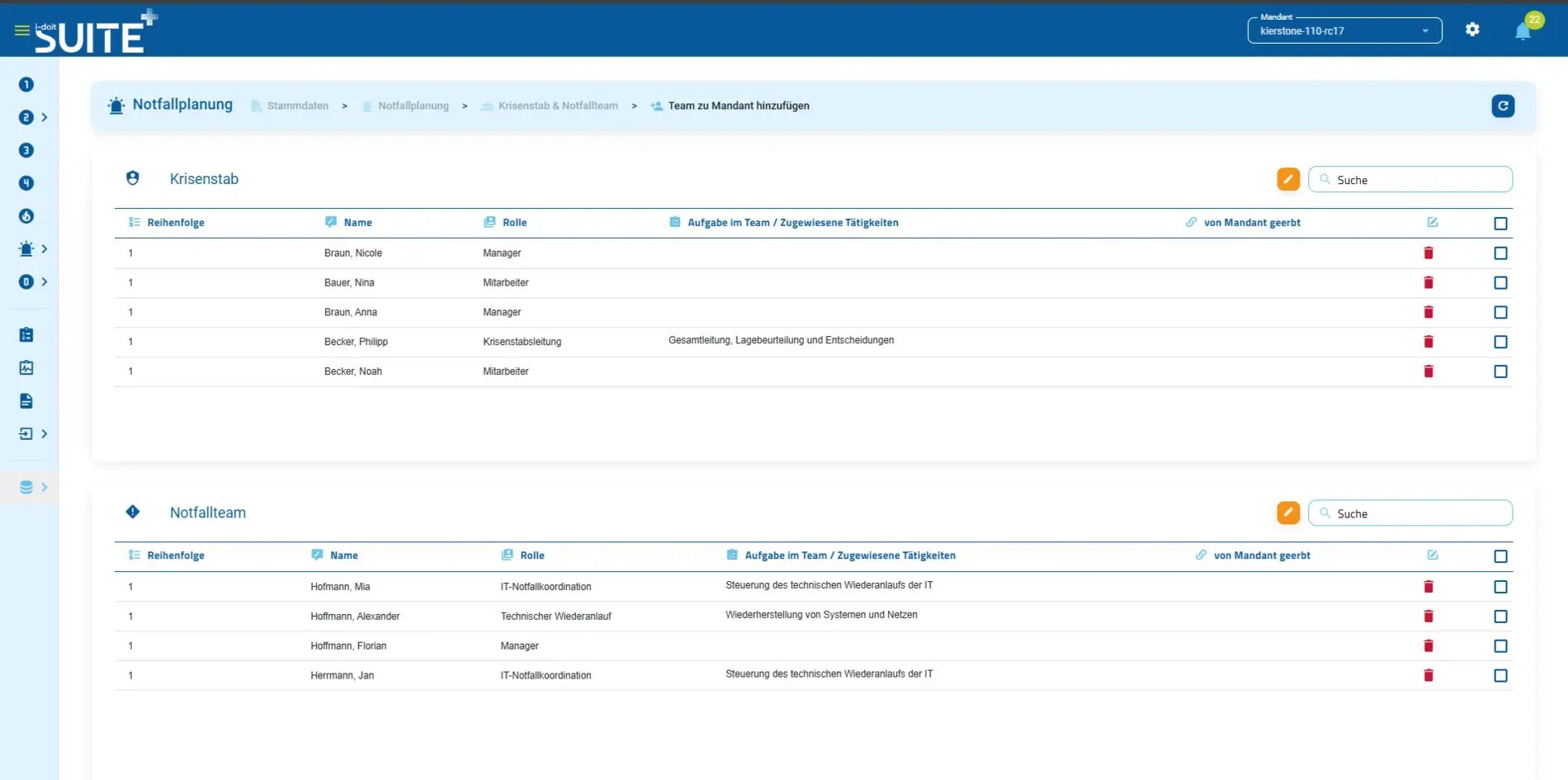
2. Crisis/Continuity Teams

At this point, you bring together individual processes with personnel. You have the ability to assign internal and external employees to crisis teams and continuity teams.

You can set the crisis team and continuity team across processes by tenant or individually for each process. When a person transfers their responsibilities for processes, measures, or team membership, you can easily reassign them to another person.

grcsuiteplus_NotfallKrise Teams

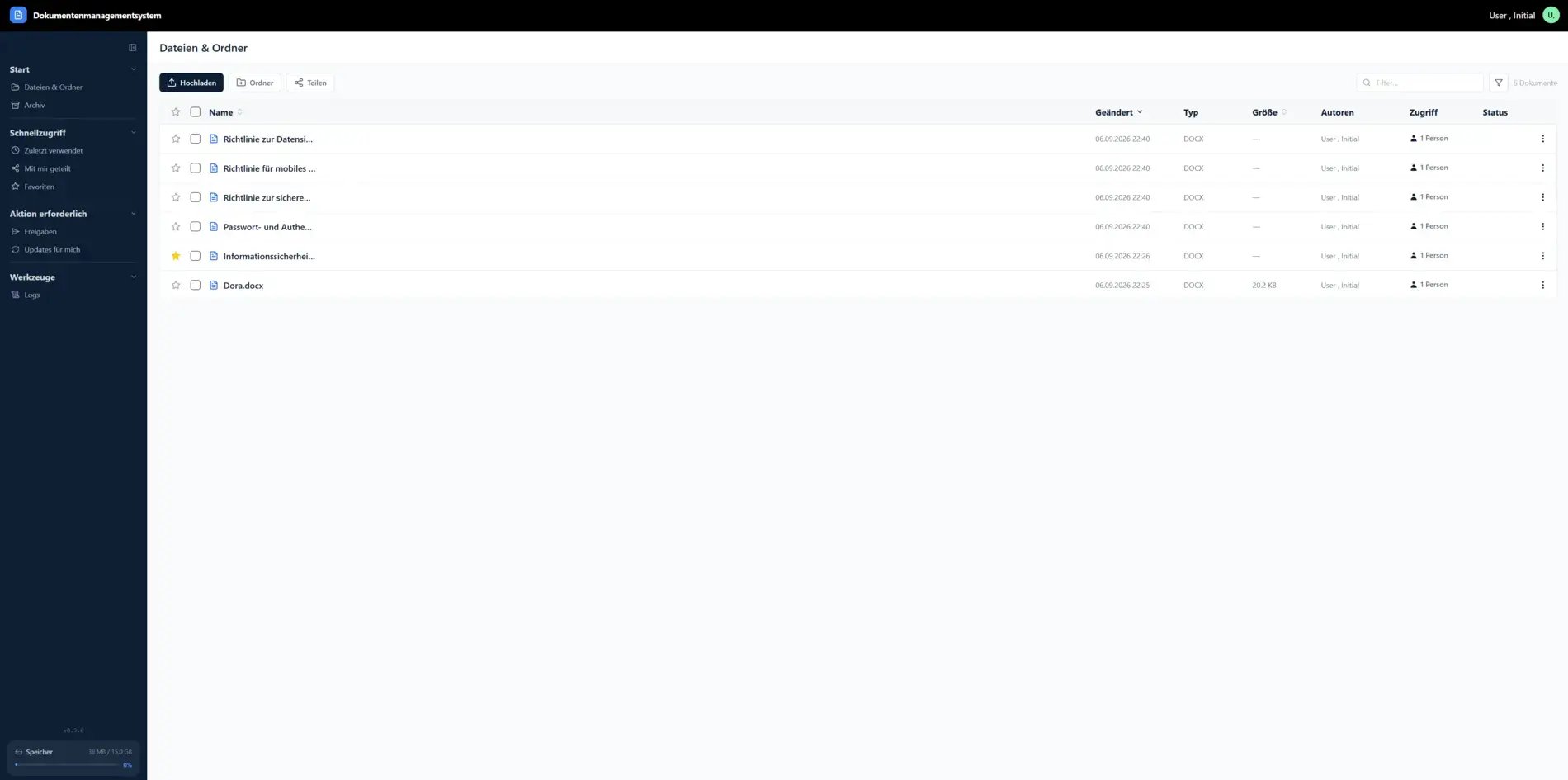
3. Document management

Capture documents relevant to business continuity planning (e.g., manuals & license certificates) and images (e.g., location & floor plans) and import them into the continuity management system.

You can structure, update, or create new documents. Additionally, you can set measures for documents in this area and store service times and contract periods. 

grcsuiteplus_DMS

4. Risk management

In risk treatment, you get a clear overview of all risks that exceed the defined acceptance level. Define an individual risk treatment strategy for each risk and derive concrete tasks and measures for responsible employees from it.

In risk treatment, you get a clear overview of all risks that exceed the defined acceptance level. Define an individual risk treatment strategy for each risk and derive concrete tasks and measures for responsible employees from it.

grcsuiteplus_BIA

5.  Recovery planning

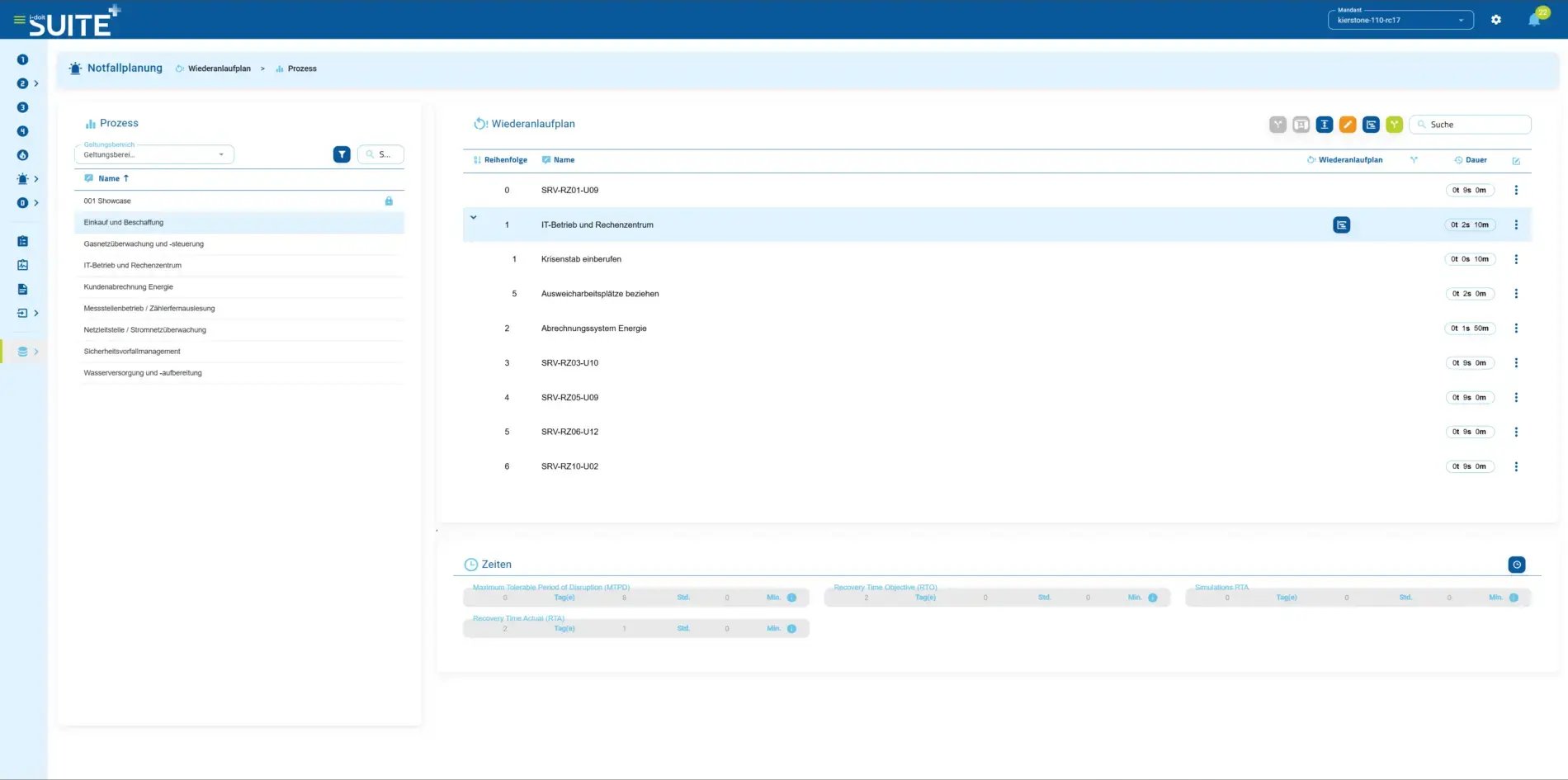
Capture and create structured recovery plans for each individual business process and asset, and define the RTO (Recovery Time Objective) – the maximum tolerable time span for restoration. Store the concrete steps for restart directly on the respective process and asset, including dependencies to other systems and processes.

In an emergency, you don't rely on improvisation or the knowledge of individual employees, but always have a clearly defined, traceable process at hand – and know exactly which steps to perform in which sequence to restore operations as quickly as possible.

grcsuiteplus_Wiederanlauf Prozess BCMNotfall

Use cases

Use cases relating to ISMS, risk and compliance management

Audit management
Audit management

You control audits centrally, plan audits, document results and automatically generate audit reports.

View use case

Document management
Document management

You can manage documents in an audit-proof manner, version and edit them directly in the tool and use templates and import functions.

View use case

GAP analysis
GAP analysis

i-doit supports GAP analyses according to standards such as ISO 27001, ISO 9001 or NIS2, including maturity level assessment, responsibilities and document assignment.

View use case

Supplier management
Supplier management

You evaluate and manage suppliers centrally, document contracts and maintain contact details and replacement suppliers.

View use cases

Action management
Action management

You derive measures, distribute tasks, track deadlines and receive automatic notifications by e-mail.

View use case

Security incident management

You document and evaluate security incidents in accordance with ISO and NIS2, assign affected assets and centrally derive measures.

View use case

contact-cta-bg-light

Book your personal live demo

Our i-doit team is happy to take the time to personally advise you on your use case.

What is i-doit Suite+ BCM?

What is business continuity management and why is it important for companies today?

Business Continuity Management (BCM) is a strategic approach to ensuring that an organization can continue critical operations during and after disruptive events. Today, it's essential because businesses face increasing risks from IT failures, natural disasters, cyberattacks, and other incidents. BCM helps minimize downtime, protects revenue, meets regulatory requirements, and maintains stakeholder confidence by demonstrating preparedness.

Which companies is i-doit Suite+ BCM the right solution for?

i-doit Suite+ BCM is suitable for:

  • Mid-sized and large organizations with complex operations and dependencies


  • Critical infrastructure operators and public administration agencies

  • Organizations with high business continuity and compliance requirements

  • Any company seeking to professionally formalize and continuously improve their BCM capabilities

What is the difference between BCM and IT emergency planning?

While both are essential, they address different scopes. IT Emergency Planning (part of i-doit Suite+ Emergency) focuses specifically on recovering IT systems and infrastructure after outages. Business Continuity Management in i-doit Suite+ BCM takes a broader view, encompassing all critical business processes—both IT and non-IT—and their interdependencies. BCM ensures the organization can continue business operations, not just restore technology.

How does i-doit Suite+ BCM specifically support business impact analysis?

i-doit Suite+ BCM enables structured business impact analysis (BIA) by:

  • Centrally mapping business processes and their interdependencies

  • Defining impact criteria for disruption (financial impact, customer impact, operational impact)

  • Automatically calculating recovery time objectives (RTO) and recovery point objectives (RPO)

  • Linking business processes to supporting IT systems and infrastructure through CMDB integration

  • Creating documented, auditable BIA results that inform recovery strategies

How quickly can i-doit Suite+ BCM be implemented?

Thanks to pre-configured process structures, templates, and practical workflows, i-doit Suite+ BCM can be deployed productively within a reasonable timeframe. Organizations quickly establish a solid foundation for business continuity—including process mapping, BIA documentation, and recovery strategies—without extended implementation phases.


What benefits does i-doit Suite+ BCM offer in a crisis?

In a crisis, i-doit Suite+ BCM provides:

  • Clear prioritization of critical business processes and their recovery sequence

  • Defined recovery strategies and detailed implementation steps for each process

  • Transparent responsibility assignments and escalation paths for crisis management

  • Rapid decision-making support through pre-analyzed impact and dependencies

  • Documented, traceable recovery procedures enabling coordinated, efficient response

  • A structured foundation for coordinating recovery across IT and business departments

Can I use i-doit Suite+ BCM combined with ISMS and emergency planning?

Yes. i-doit Suite+ BCM is part of the complete i-doit GRC Suite+ and can be deployed as an individual product or in combination with other solutions including ISMS, Emergency Planning, and Data Protection. The unified data foundation means you maintain process and asset information once and share it across all modules, eliminating duplicate data entry.


Can I implement BCM, ISMS, emergency planning, and data protection together?

Yes. The i-doit GRC Suite+ is designed to enable comprehensive governance, risk, and compliance management across all four areas in a single integrated solution. This unified approach provides shared data, consistent processes, and unified reporting—making your compliance efforts more efficient and reducing organizational overhead.


Does i-doit Suite+ BCM meet the requirements of ISO 22301 and BSI 200-4?

Yes – i-doit Suite+ BCM supports organizations in implementing business continuity management in compliance with ISO 22301 (Business Continuity Management Systems) and BSI Standard 200-4 (BSI C-Level Risk Management). The integrated analysis and reporting functions provide comprehensive evidence for audits, reviews, and regulatory assessments.

What CMDB integration is available? i-doit Suite+ BCM has native integration with the i-doit up CMDB, allowing you to seamlessly synchronize data between both solutions. This connection enables you to map business processes to the IT systems and infrastructure supporting them, providing complete transparency on business-IT dependencies necessary for effective BCM.