i-doit
CMDB, ITSM, ITIL, IT-Docu







Use the i-doit AI add-ons to increase your level of automation with the help of AI!


i-doit / Paid
18 specialized widgets, arranged via drag and drop, with real-time data from i-doit
External data sources: CSV files, MySQL, and PostgreSQL directly in the dashboard
Attribute filters on any category field, with drilldown by click down to the object list
License utilization with growth forecast, location analysis, contract and warranty expiry
Sharing with individuals and groups, or publicly without login; command palette with Ctrl+K
Fixed priced add-on
Information on support options can be found on the developer website (German only).
For installation instructions, please contact the developer (German only).
18 widgets ranging from object counters to location and license analysis to the rack view, plus data from CSV files and external databases, filtered by any attribute and shareable even without i-doit access.
Important information is scattered across your entire CMDB – teams must navigate through various categories and lists or create reports just to find relevant data. The Dashboards Pro Add-on puts an end to that: Create custom dashboards with a wide range of specialized widgets – from object counters and contract expiration warnings to rack views and logbook entries. Configured via drag & drop, always showing real-time data from i-doit. Share dashboards with colleagues or make them publicly accessible – no i-doit login required. Whether IT management, network teams or facility management – every role gets exactly the overview they need. Instant insights instead of manual reports and Excel exports.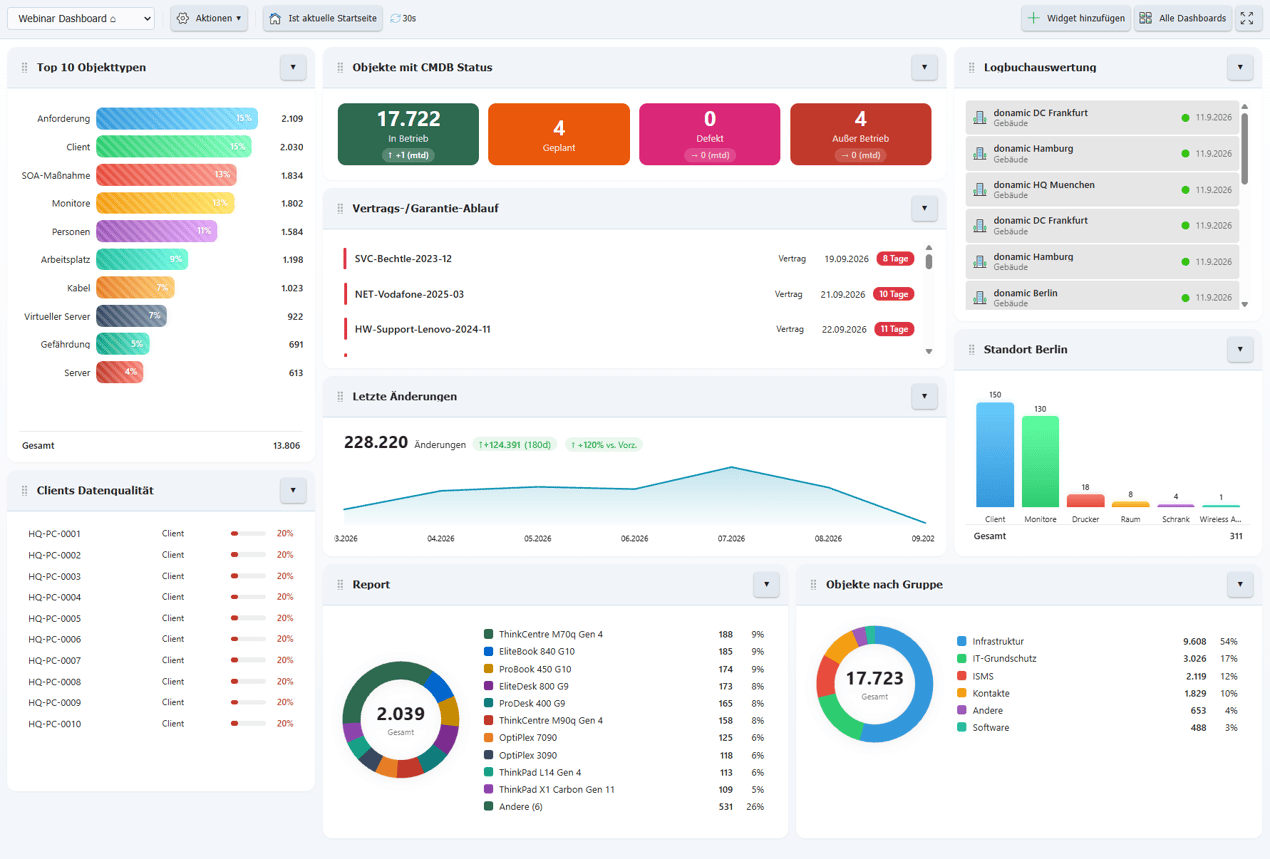
Dashboards Pro provides custom dashboards for different roles and use cases.
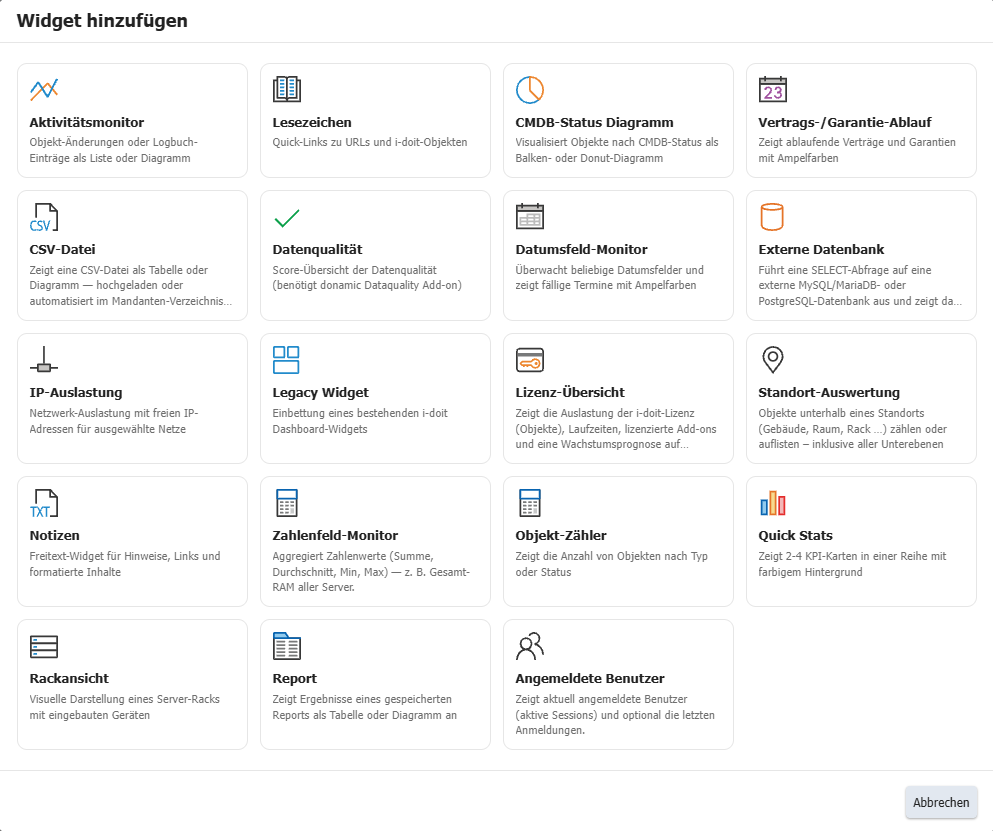
With 18 specialized widgets, the add-on covers a wide range of requirements: Object counters show current inventory with trend indicators, Quick Stats display 2–4 KPI cards side by side, and the Activity Monitor tracks changes with period comparisons. The CMDB Status Chart visualizes status distribution, while the Contract & Warranty Expiration widget provides traffic light warnings for upcoming deadlines.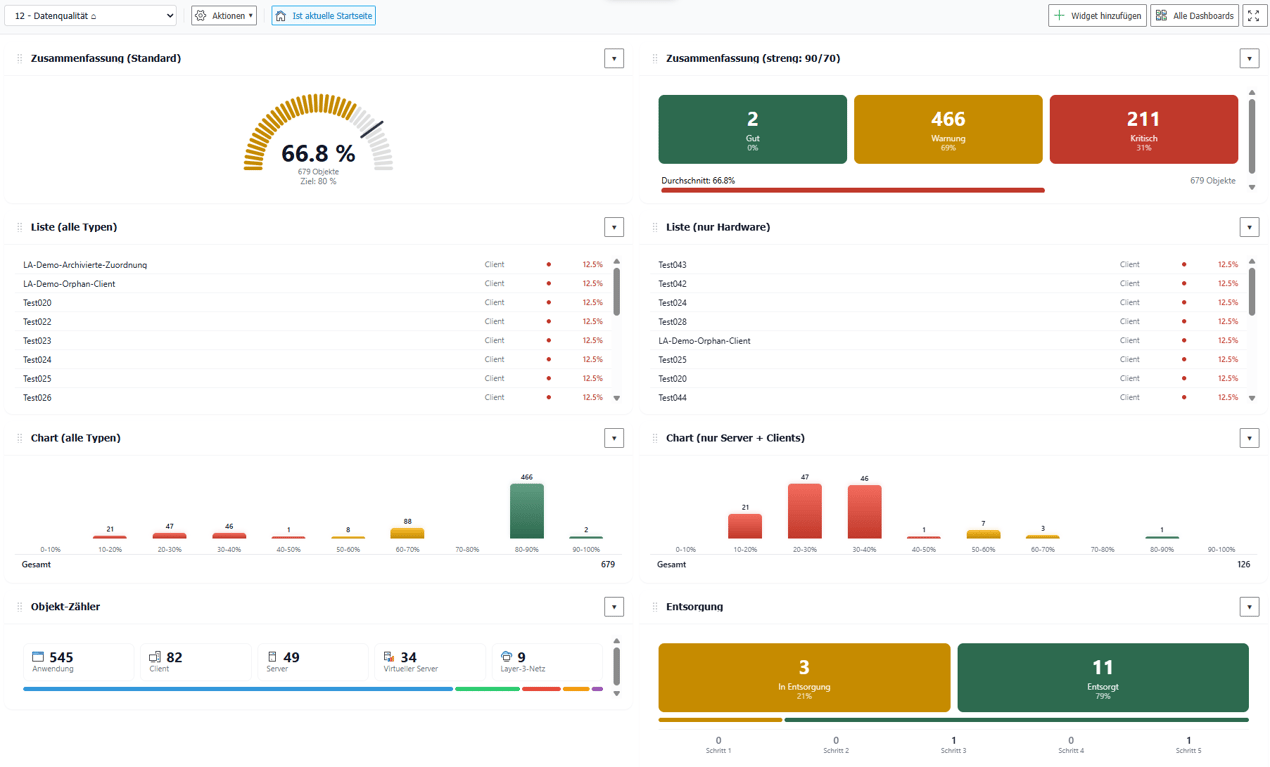 For network planning, the IP Utilization widget displays network usage and available IP addresses. The Rack View offers a visual representation of server racks directly in the dashboard. The Date Field Monitor lets you track any date fields from the CMDB. Saved i-doit reports can be embedded directly, and the Data Quality widget displays the quality score of your documentation.
The widget offering is rounded out by Notes (HTML-formatted free text fields), Bookmarks (quick links to objects and URLs), and the Legacy Widget for integrating existing i-doit widgets.
You document active and passive network elements including cabling, port assignment, IP addresses and configurations centrally and comprehensibly.
You record and analyze software and licenses, monitor runtimes, users and authorizations and avoid license violations and unnecessary costs.
You analyze your IT infrastructure, identify documentation gaps and create location, user or cost centre-related reports and audit PDFs.
You document and manage contracts centrally, link them to objects and responsible parties and are automatically informed about deadlines and terms.
They document maintenance and lifecycles, make changes traceable, automate processes and keep track of responsibilities and warranty periods.
You document locations, rooms and infrastructure, link these to contact persons and also visualize server rooms clearly.
From the hardware handover certificate to the disaster recovery plan. Create appealing documents - also as PDF - with daily updated data from your CMDB - automatically!
Extend i-doit with powerful analysis functions: Calculate service costs, check data quality and perform failure simulations.
Build an information security management system with risk analysis and management according to ISO 27001.
Build information security management systems (ISMS) according to the BSI's IT Baseline Protection methodology.
Discover how the i-doit Add-on Dashboards Pro can support and streamline your processes. Get in touch with us for more information, pricing details, or to request a quote.

Phone: +49 (0) 211 - 699 31 0