i-doit
CMDB, ITSM, ITIL, IT-Docu






Use the i-doit AI add-ons to increase your level of automation with the help of AI!


i-doit / Paid
Say goodbye to paper chaos – No more printing and scanning required.
Direct integration with i-doit – Signed documents are automatically assigned to the correct CI.
Maximum efficiency – Sign and archive in one step, without media breaks.
Information on support options can be found on the developer website (German only).
For installation instructions, please contact the developer (German only).
With the new PDF Sign & Store Add-on from Freicon, you can sign, save, and automatically assign documents to the correct Configuration Item (CI) – all directly within i-doit. Paperless, efficient, and secure!
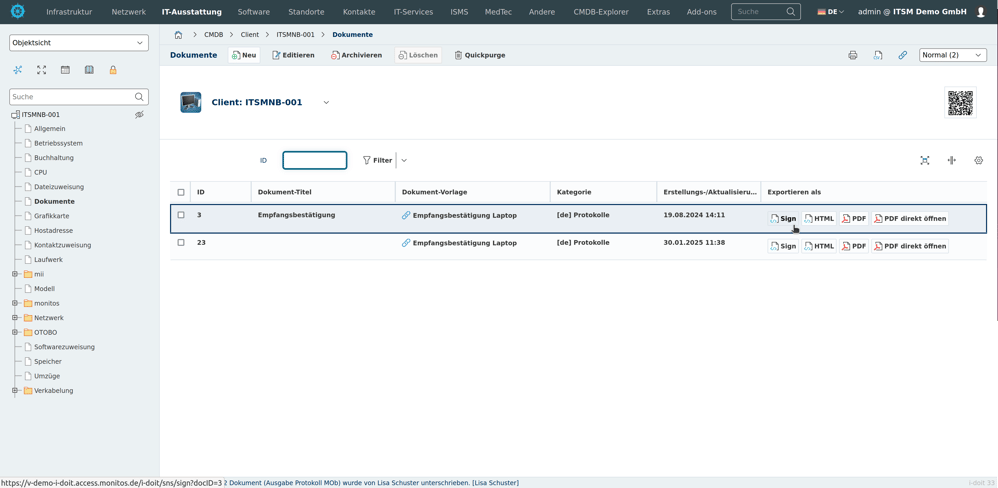
Internal signatures – Authorized i-doit users sign documents directly in the system – including audit logging.
External signatures – Use the add-on via browser or tablet to collect signatures – ideal for device handovers, maintenance reports, and more.
You document active and passive network elements including cabling, port assignment, IP addresses and configurations centrally and comprehensibly.
You record and analyze software and licenses, monitor runtimes, users and authorizations and avoid license violations and unnecessary costs.
You analyze your IT infrastructure, identify documentation gaps and create location, user or cost centre-related reports and audit PDFs.
You document and manage contracts centrally, link them to objects and responsible parties and are automatically informed about deadlines and terms.
They document maintenance and lifecycles, make changes traceable, automate processes and keep track of responsibilities and warranty periods.
You document locations, rooms and infrastructure, link these to contact persons and also visualize server rooms clearly.
From the hardware handover certificate to the disaster recovery plan. Create appealing documents - also as PDF - with daily updated data from your CMDB - automatically!
Automatically create documents with AI.
Query, update, and import CMDB data with AI.
Create powerful automations without any programming knowledge!
Easily create forms to share with users for simplified data entry.
Install, move, add and change - normality in any IT operation. With this add-on you simplify the documentation of IMAC processes.
Discover how the i-doit Add-on monitos PDF Sign & Store can support and streamline your processes. Get in touch with us for more information, pricing details, or to request a quote.

Phone: +49 (0) 211 - 699 31 0