i-doit
CMDB, ITSM, ITIL, IT-Docu







Use the i-doit AI add-ons to increase your level of automation with the help of AI!


 4.7/5 on Capterra | 2.000+ satisfied customers
 Central recording
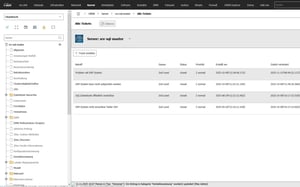
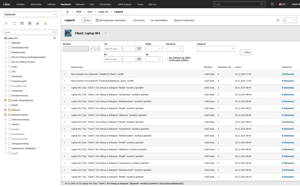
Incidents and faults are systematically captured and documented in one place
 System linkage
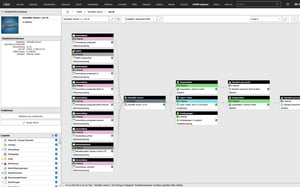
Each incident is connected directly to the affected systems, services, locations, or assets in the CMDB
 Responsibility assignment
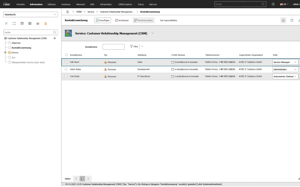
Incidents are assigned to the responsible persons or teams, including full status tracking
 Complete history
All processing steps, changes, and actions are fully documented throughout the incident lifecycle
 System integration
The CMDB can be connected to external ticketing or workflow systems via API or add-ons
 Reporting
Incidents can be analyzed by status, root cause, affected systems, or time period — supporting both operations and audit requirements
Why is linking tickets and assets so important?
In many service desk environments, tickets exist in isolation from technical reality. i-doit bridges that gap with:
How does ITIL-based incident management support structured fault handling?
i-doit enables structured incident capture in line with ITIL and presents incidents in their full technical context. Benefits include:
How can SLAs be defined and reliably monitored?
i-doit enables the structured capture and monitoring of SLAs. Agreements can be assigned directly to services, systems, contracts, or customers and evaluated in the context of incidents. This delivers:
How do workflows automate incident handling?
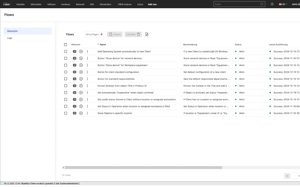
i-doit enables the automated handoff of incidents to connected ticketing and workflow systems. Status changes, notifications, and escalations are triggered by rules, while i-doit remains the central data source. This means:
How is a continuous history built from ticket data and CMDB changes?
i-doit documents ticket information and CMDB changes in a continuous, connected record. Incidents, actions, and changes to systems or assets are permanently traceable and form a reliable knowledge base. Advantages include:

Create powerful automations without programming knowledge, simply start them on a schedule or manually at the touch of a button.
Get 4 powerful add-ons for the price of 2! Flows, Documents, Analysis and Forms.
Automatically create documents as PDFs with daily updated data (e.g. hardware handover certificate or disaster recovery plan).
Automate the operation of your data center with the latest data from the CMDB. Events trigger and control further processes.
The maintenance add-on supports the planning, execution and documentation of maintenance and inspections. Maintenance intervals, dates and responsibilities are managed centrally and linked directly to the respective devices, installations or systems.
With the API add-on, data can be automatically read, written and updated in i-doit. Perfect for integrations with ticket systems, inventory tools or your own automations.
Add-on for powerful data analysis. Calculate service costs, check the data quality of the CMDB and carry out failure simulations.
Easily create forms that you can make available to users for simplified data entry. Example: Allow users to document hardware or goods themselves.
Set up an information security management system with risk analysis and management in accordance with ISO 27001.
Integrate the Checkmk2 monitoring system into i-doit. This supports comparisons between TARGET and ACTUAL from CMDB and monitoring.
Store buttons with your own triggers and start IT processes directly from i-doit - e.g. the automatic deployment of a virtual machine.
With this add-on, you can create an information security management system (ISMS) in accordance with the BSI's IT baseline protection methodology.
You control audits centrally, plan audits, document results and automatically generate audit reports.
You can manage documents in an audit-proof manner, version and edit them directly in the tool and use templates and import functions.
i-doit supports GAP analyses according to standards such as ISO 27001, ISO 9001 or NIS2, including maturity level assessment, responsibilities and document assignment.
You evaluate and manage suppliers centrally, document contracts and maintain contact details and replacement suppliers.
You derive measures, distribute tasks, track deadlines and receive automatic notifications by e-mail.
You document and evaluate security incidents in accordance with ISO and NIS2, assign affected assets and centrally derive measures.