i-doit
CMDB, ITSM, ITIL, IT-Docu







Use the i-doit AI add-ons to increase your level of automation with the help of AI!


i-doit up / Free
Automatically generate documents from existing data
No manual creation or maintenance of templates required
Consistent and professional document structure
Significantly faster than traditional document creation
Reusable templates for recurring documents
Available for i-doit up
Create professional PDF documents directly from your CMDB data – no manual templates required. Save time while ensuring a clear, consistent structure.
With AI Documents Creator Add-on for i-doit up, you no longer need to create documents manually. Instead, documents are automatically generated from your existing data. Simply define the document structure once and reuse the template whenever needed. Content is pulled directly from your CMDB and transformed into a structured, professional PDF document.
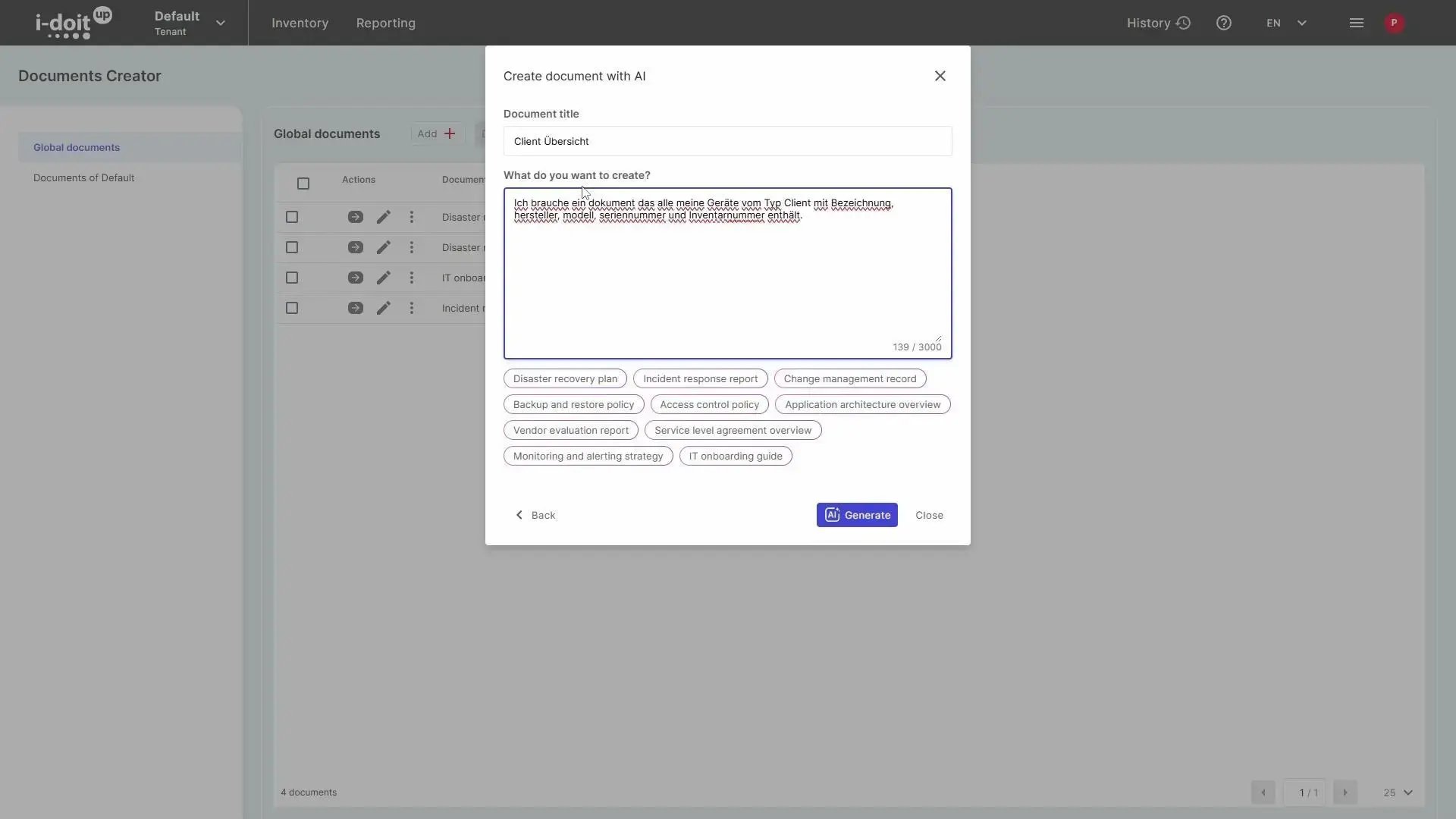
Use your created templates to generate complete documents directly from your CMDB at any time. Simply select the desired object or relevant data and automatically create a structured PDF. Content is accurately transferred, cleanly formatted, and instantly ready to use.
With the i-doit Add-on AI Documents Creator, you don’t just automatically generate documents—you also enhance them using AI. Content can be optimized, expanded, or refined in terms of language directly based on your existing CMDB data. This results not only in faster document creation but also in higher-quality outputs.
From device handover reports to ISO 27001 certification records – the AI Documents Creator Add-on covers the full range of documentation that IT teams and administrators deal with on a daily basis. Whenever structured, reliable documents need to be produced from existing CMDB data, this add-on eliminates the manual effort involved. It is used by organizations that need to generate asset reports for audits, maintain up-to-date inventory lists for departments and locations, or produce contract overviews and system documentation in a consistent, professional format.
i-doit becomes the backbone of every documentation process that depends on accurate infrastructure data. Whether you are preparing for an internal review, compiling compliance records, or handing over a workstation to a new employee – the add-on pulls the relevant data directly from your CMDB and transforms it into a ready-to-use PDF at the click of a button. The result is faster turnaround, less rework, and documentation that is always aligned with the actual state of your IT environment.
Organizations that regularly produce IT documentation – such as compliance records, audit reports, or device handover protocols – benefit immediately from automated document generation based on their existing CMDB data.
Create custom PDF documents directly from your CMDB with the help of AI.
Access your data via your own chat application with the help of AI.
Import tables into i-doit via your connected chat application.
Define workflows and processes for your i-doit environment in your own chat application.
You control audits centrally, plan audits, document results and automatically generate audit reports.
You analyze your IT infrastructure, identify documentation gaps and create location, user or cost centre-related reports and audit PDFs.
You create technical and organizational restart plans with automatic calculation of the restart times.
You can manage documents in an audit-proof manner, version and edit them directly in the tool and use templates and import functions.
From the hardware handover certificate to the disaster recovery plan. Create appealing documents - also as PDF - with daily updated data from your CMDB - automatically!
Create powerful automations without any programming knowledge!
Query, update, and import CMDB data with AI.
Extend i-doit with powerful analysis functions: Calculate service costs, check data quality and perform failure simulations.
Discover how the i-doit Add-on AI Documents Creator can support and streamline your processes. Get in touch with us for more information, pricing details, or to request a quote.

Phone: +49 (0) 211 - 699 31 0