i-doit
CMDB, ITSM, ITIL, IT-Docu







Use the i-doit AI add-ons to increase your level of automation with the help of AI!


 4.7/5 on Capterra | 2,000+ satisfied customers

 Notifications for contracts, maintenance and licenses
Expiration dates for contracts, maintenance, inspections and licenses are monitored centrally and reported in good time.
 Monitoring warranty periods
Warranty periods for devices and other assets are stored and automatically monitored before they expire.
 Individual escalation levels
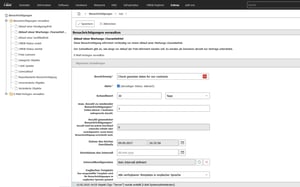
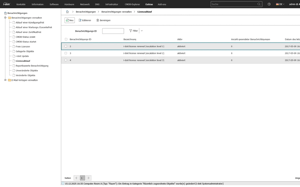
Notifications can be defined at several levels, e.g. reminder, escalation to superiors or other responsible persons.
 Central assignment to objects and responsible persons
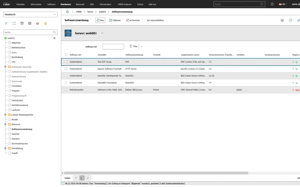
Deadlines are directly linked to contracts, devices, licenses or maintenance and assigned to the responsible persons.
 Reporting on deadlines and notifications
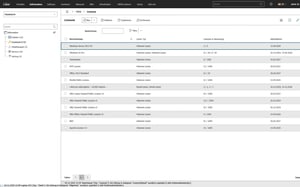
Open, upcoming or missed deadlines can be clearly evaluated and displayed as a report
 Connection via API and automation
Notifications and status changes can be integrated into external systems, workflows or automations via the i-doit API.
Connection via API and automation
Notifications and status changes can be integrated into external systems, workflows or automations via the i-doit API.
Why is reliable monitoring of deadlines and warranties crucial?
Deadlines, maintenance, licenses and warranty periods are easily overlooked in everyday life - especially if they are maintained in different lists or systems. This increases the risk of missed deadlines, unnecessary costs and unplanned extensions.
i-doit manages deadlines and warranty periods centrally and monitors them automatically. Contracts, maintenance, licenses and warranties are clearly assigned and continuously checked - without any manual checks or additional overviews.
Individual threshold values and the recipient group for notifications can be flexibly defined - from individual persons and departments to ticket or third-party systems.
Advantages:
How do timely notifications ensure planning security?
If deadlines are only noticed shortly before they expire, there is hardly any time to make informed decisions. Extensions, maintenance or replacement measures are then carried out reactively and under time pressure.
i-doit informs responsible persons in good time before deadlines, maintenance, licenses or warranty periods expire. Thanks to freely definable lead times, you retain control at all times and can prepare measures in a structured manner.
Advantages:
How do escalation levels ensure that no deadline is overlooked?
If notifications go unnoticed - due to absence or substitution, for example - critical deadlines can still be missed. Manual tracking is time-consuming and error-prone.
i-doit supports structured escalation levels for notifications. If a responsible person does not respond, other people involved or managers are automatically informed - traceably and without manual effort.
Advantages:
How are deadlines transferred directly to ticket and third-party systems?
Notifications alone are often not enough - tasks must be actively transferred to operational processing. Media disruptions between documentation and operations lead to delays.
With i-doit, contracts, deadlines and escalations can be transferred directly to connected ticket or third-party systems. If action is required, tickets are automatically created or processes triggered, while i-doit remains the central data source.
Advantages:

Our i-doit team will be happy to take the time to advise you personally on your application.
Create powerful automations without programming knowledge, simply start them on a schedule or manually at the touch of a button.
Get 4 powerful add-ons for the price of 2! Flows, Documents, Analysis and Forms.
Automatically create documents as PDFs with daily updated data (e.g. hardware handover certificate or disaster recovery plan).
Automate the operation of your data center with the latest data from the CMDB. Events trigger and control further processes.
The maintenance add-on supports the planning, execution and documentation of maintenance and inspections. Maintenance intervals, dates and responsibilities are managed centrally and linked directly to the respective devices, installations or systems.
With the API add-on, data can be automatically read, written and updated in i-doit. Perfect for integrations with ticket systems, inventory tools or your own automations.
Add-on for powerful data analysis. Calculate service costs, check the data quality of the CMDB and carry out failure simulations.
Easily create forms that you can make available to users for simplified data entry. Example: Allow users to document hardware or goods themselves.
Set up an information security management system with risk analysis and management in accordance with ISO 27001.
Integrate the Checkmk2 monitoring system into i-doit. This supports comparisons between TARGET and ACTUAL from CMDB and monitoring.
Store buttons with your own triggers and start IT processes directly from i-doit - e.g. the automatic deployment of a virtual machine.
With this add-on, you can create an information security management system (ISMS) in accordance with the BSI's IT baseline protection methodology.
You connect ticket systems, automation tools and monitoring systems such as Zammad or n8n directly via API.
You document workstations with devices, peripherals and responsible persons and control handovers and returns centrally.
You control audits centrally, plan audits, document results and automatically generate audit reports.
You analyze your IT infrastructure, identify documentation gaps and create location, user or cost centre-related reports and audit PDFs.
You are automatically informed about deadlines, licenses and guarantees and can keep an eye on the status and need for action.
You automatically record clients, servers, printers and peripherals and document hardware, software and QR codes centrally.
You manage users, accounts and rights centrally, document responsibilities and control access per system, including LDAP and group connections.
You document data protection incidents in compliance with the GDPR, assess risks and derive measures centrally.
You can manage documents in an audit-proof manner, version and edit them directly in the tool and use templates and import functions.
You create technical and organizational restart plans with automatic calculation of the restart times.
i-doit supports GAP analyses according to standards such as ISO 27001, ISO 9001 or NIS2, including maturity level assessment, responsibilities and document assignment.
You link tickets to affected devices, analyze causes via dependencies and monitor SLAs centrally.
You record and uniquely identify assets using QR and barcodes, create individual labels and take a mobile inventory of devices using the app and printer tool.
You document emergency concepts, system manuals, backups and disaster recovery centrally and comprehensibly.
They document maintenance and lifecycles, make changes traceable, automate processes and keep track of responsibilities and warranty periods.
You evaluate and manage suppliers centrally, document contracts and maintain contact details and replacement suppliers.
You derive measures, distribute tasks, track deadlines and receive automatic notifications by e-mail.
You integrate monitoring data directly into the IT documentation, see asset failures and link statuses to the change history.
You document active and passive network elements including cabling, port assignment, IP addresses and configurations centrally and comprehensibly.
You manage entries and exits, including device handovers, returns and referral certificates centrally.
i-doit enables protection requirement analyses with automatic inheritance into the infrastructure, risk assessment and tracking of measures.
You document and evaluate security incidents in accordance with ISO and NIS2, assign affected assets and centrally derive measures.
You record and analyze software and licenses, monitor runtimes, users and authorizations and avoid license violations and unnecessary costs.
You document locations, rooms and infrastructure, link these to contact persons and also visualize server rooms clearly.
You document and manage contracts centrally, link them to objects and responsible parties and are automatically informed about deadlines and terms.
You keep an eye on servers, VMs, dependencies and certificates centrally and automatically synchronized.